
Quick answer: Content strategy and planning connects audience needs with business goals and turns those decisions into a prioritized content roadmap. Strategy defines whom to help, what outcomes to pursue, and what distinctive value to offer. Planning specifies which content to create or improve, who owns it, when it is due, and how success will be assessed.
Key facts
- Google recommends serving an intended audience and maintaining a clear site focus rather than creating content primarily for search traffic. Creating helpful, reliable, people-first content
- Original information, research, or analysis should add value beyond rewriting existing sources. Creating helpful, reliable, people-first content
- Google has no preferred content word count. Creating helpful, reliable, people-first content
- Search effects can take hours to several months; Google generally recommends waiting a few weeks before assessing changes. Search Engine Optimization (SEO) Starter Guide
TL;DR: Build a prioritized, capacity-aware content roadmap in which every item has an audience need, a business purpose, a distinctive contribution, an owner, and a success criterion.
- Content strategy
- The decisions about audience, goals, subject focus, and distinctive value that guide investment in content.
- Content plan
- An actionable roadmap of content initiatives, priorities, resources, timing, and intended outcomes.
- Editorial calendar
- The scheduling view of a content plan, showing planned delivery dates, responsibilities, and dependencies.
- Content backlog
- A prioritized list of potential content work that has not yet been committed to a delivery schedule.
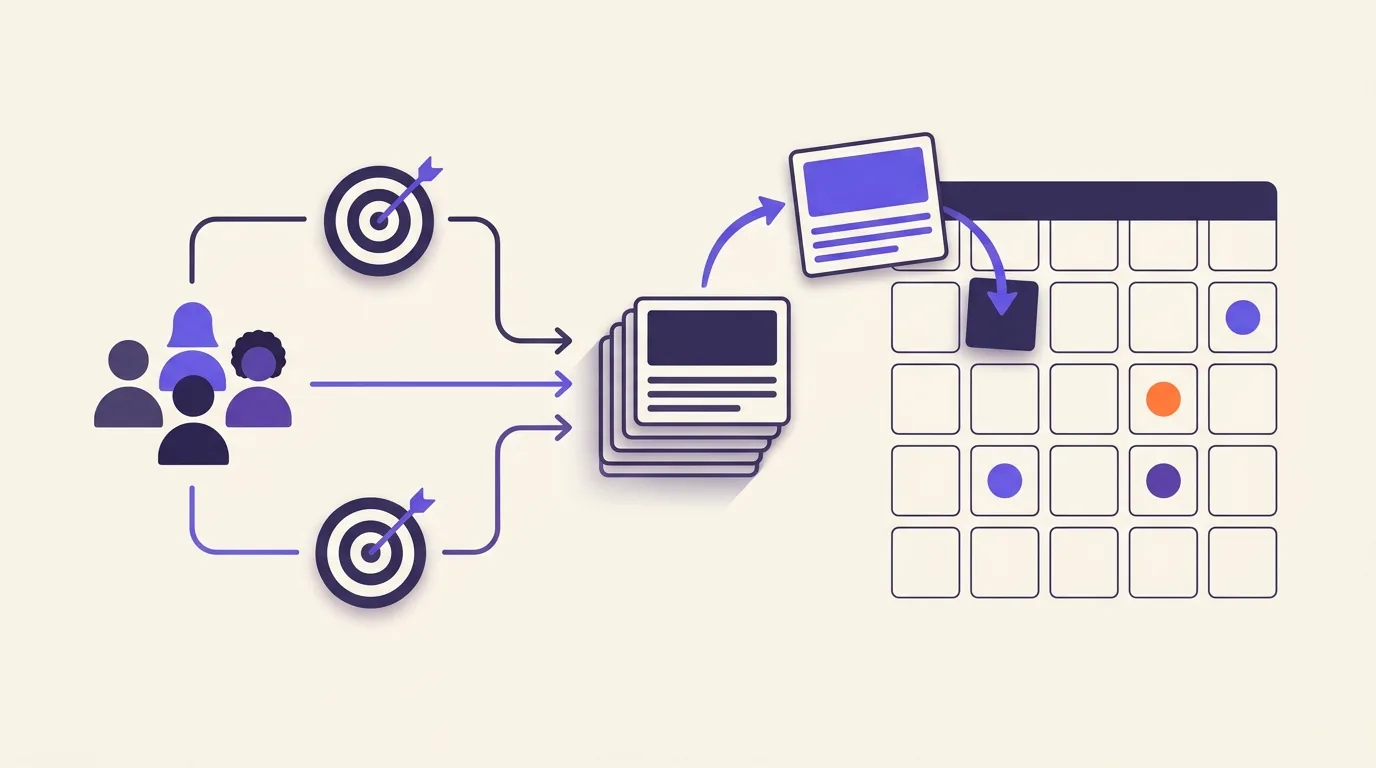
What is content strategy and planning?
Content strategy and planning connects what your audience needs with what your business wants to achieve. Strategy sets who you want to help and what you can offer them. A content plan turns that choice into work, with an owner and a way to check its value. An editorial calendar sets the schedule. It doesn’t decide what matters.
| Element | Core question |
|---|---|
| Content strategy | Who should your content help, and to what end? |
| Content plan | What can you create or improve with the resources you have? |
| Editorial calendar | When is each agreed item due? |
These are choices about where to spend time and budget. They come before drafting a page or deciding how to promote it.
A decision in practice
Say you run a software company and want more qualified trials. Sales calls show that buyers worry about the work needed to set up the product. A useful content investment could be a setup guide based on your product team’s knowledge, so buyers can judge the effort before they sign up.
Content strategy supports your broader SEO strategy; it doesn’t replace work on the site’s technical health or authority.
Why should audience needs and business goals come first?
You need a clear reason to choose one topic over another. An idea may attract interest but do little for your customers or your business. Start with a real reader problem, then ask what solving it would support.
Google recommends creating content for an intended audience with a clear site focus. The aim should be to help readers reach their goals, not mainly to attract search traffic: Google Search Central.
Write a short strategy statement
Use customer interviews or support questions to find tasks that people struggle with. Base your choices on what people say and do, rather than a detailed persona built from guesses.
Try this statement: “Our content helps [audience] solve [problem] to support [business goal]. It covers [subjects] and draws on [firsthand knowledge or evidence].” Add which subjects you won’t cover.
Be clear about what makes your content worth reading. You might have direct product knowledge or research that others don’t have. Google recommends original information and substantial value beyond copying or rewriting other sources: Google Search Central.
Choose the business outcome that matters, such as qualified demand or customer retention. Set a way to measure it and a point at which you’ll assess progress. Assign someone to make that assessment. SEO KPIs and Metrics explains how to choose and calculate suitable measures.
Gather the evidence needed for a content roadmap
Before you add topics to a roadmap, check what you already know. Start with your current pages and the questions your audience asks. Then look for gaps that your team has the knowledge and time to fill.
- Existing content. Use content-audit findings to see which pages need work. A useful page may need an update rather than a replacement.
- Audience questions. Gather questions from support requests or customer calls. Record who asked and what they were trying to do.
- Search demand. Use keyword-research findings to learn how people search. A popular term isn’t a good fit unless it connects to your audience’s needs.
- Outside coverage. Check competitors and content-gap findings for needs you may have missed. Don’t treat their topic lists as instructions.
- Business priorities. Record which goals need support now and which can wait.
- Available resources. Check who can supply expert input and how much work the team can take on. Find out whether the source material is ready.
Keep the source and date of each finding with the topic it supports. State which audience needs the content. Mark ideas based on direct evidence separately from those that still need testing.
Beginners and experts may use different words for the same task. That can call for clearer explanations, not a new page for every phrase. Google says its language-matching systems can connect pages with searches even when every exact term isn’t present: Google SEO Starter Guide.
How do you prioritize topics and content investments?
Start by asking whether each proposal serves a clear audience need and a plausible business goal. If it passes that test, compare its value with the effort it needs. A planning score can help you make choices; it isn’t a forecast of search performance.
- Importance: How much does this problem matter to your audience and business?
- Demand: Do people keep asking about it, or is the evidence thin?
- Useful contribution: What can you add that readers won’t find in the current coverage?
- Existing pages: Could an update meet the need without a new page?
- Effort: Does the team have enough time and access to the right experts?
- Blockers: Does the work depend on a product change or approval?
A troubleshooting guide based on a recurring customer problem could take priority over a popular topic outside your site’s focus. The choice depends on the evidence and the goal, not search volume alone.
Choose the investment
Decide whether to create a page or improve one you already have. If the case is weak or the timing is wrong, defer or reject the work. Record the reason so you don’t have to repeat the same debate later.
Grouping related priorities can reveal gaps in your coverage. Checking existing page ownership can help you avoid briefing a new page for a task another page already serves.
Choose a planned content format that suits the reader’s task and your resources.
Turn priorities into a realistic plan and editorial calendar
A content plan records the work you’ve agreed to do. The calendar gives it a delivery window based on who is available and what needs to happen first.
Keep unscheduled ideas in a separate backlog. Commit only to work your team can support, and leave room to improve existing pages.
Use these fields for each planned page. The software example links a reader’s task to a business goal without making a traffic forecast.
| Plan field | Example |
|---|---|
| Audience problem | Trial admins struggle to set up their team |
| Business goal | Help trial users get started |
| Page or existing URL | Team setup guide |
| Create or improve | Improve |
| What the page adds | A setup walkthrough tested by a product expert |
| Reason for priority | Setup problems stop users from getting started |
| Owner | Content lead |
| Work needed | Draft with screenshots, then expert review |
| What must be ready first | Final product interface |
| Delivery window | Before launch |
| Channel | Help center; allow time to publish |
| Success check | Run a setup task test to observe whether trial admins can finish without help |
| When to check the page again | When the interface changes or support reports recurring confusion |
Set dates around real constraints. A product launch may set the deadline, but access to an expert may limit when drafting can start. A shared spreadsheet can be enough if the team keeps it current.
For drafting and page-level work, use Creating SEO Content. Use Content Workflow to manage handoffs and approvals.
Content Promotion and Distribution covers channel execution. In the plan, record the intended channel and the resources it needs.
Common content planning mistakes to avoid
A busy schedule can hide weak choices. Watch for these traps when you approve work.
- Mistaking activity for strategy. A full calendar shows that work is scheduled. It doesn’t show that the content serves readers.
- Chasing search volume alone. Test each topic against the audience need and business goal defined above.
- Setting rigid length quotas. Google has no preferred word count: Google Search Central. Give the reader enough detail to complete the task without padding the page.
- Copying competitor topic lists. Use the useful-contribution test in the prioritization section.
- Making content look fresh without improving it. Google warns against changing dates without substantial changes. It also says adding or removing content just to make a site look fresh won’t improve its overall rankings: Google Search Central. Plan substantive content updates instead.
- Scaling mainly to manipulate rankings. Google’s definition of scaled content abuse applies regardless of how the pages are created: Google’s spam policies. See AI-written content and Google’s policies for guidance on AI use.
Check the plan and decide what to change
Review the plan before work starts and after content has had time to be used. Those checks answer different questions: can you deliver the work, and is it worth continuing?
Check commitments before scheduling
Before you add an item to the calendar, check that it has:
- A reader need backed by evidence and a clear business purpose.
- Something useful to add beyond existing content.
- An owner with the time and skills to deliver it.
- A realistic deadline that accounts for blockers.
- A way to assess success and a point at which to check progress.
Check whether the mix of work fits your business needs. You don’t need a fixed share of content for each stage of the buying process.
Review delivery and outcomes separately
Finishing a page on time is a delivery result. Whether it helped a reader or supported a business goal is a separate question.
Use Measuring Content Performance to choose page-level measures and set up reporting. Look at audience feedback alongside the data, using the success check you agreed in the plan.
Don’t assume search effects will be immediate. Google says changes can take hours to several months to affect search results and generally advises waiting a few weeks before assessing benefits: Google SEO Starter Guide. That isn’t a fixed deadline for judging every content project.
For each piece of work, decide whether to continue, revise, defer, or stop. Record the evidence behind the choice. Change the backlog and calendar to match, and revisit the strategy if the evidence challenges its assumptions.
Frequently asked questions
Can a small business manage its content plan in a spreadsheet?
Yes, if your team can keep it current. Start with the planning fields above, then add a status and due date. Include pages that need work, not just new ideas. Move to another system when missed updates or complex approvals make the sheet hard to manage.
Who should own content strategy when several teams publish content?
Choose someone with the authority to set shared priorities and resolve competing requests. Each team can still own its subject expertise and delivery. Record who approves topics and who checks accuracy. Give publishing and performance checks clear owners too, so shared work doesn’t leave decisions unassigned.
Should product pages and help-center resources be included in a content plan?
Yes. Your plan should cover pages that help your audience complete tasks, not just blog posts. Include product pages and help resources so you can spot missing or outdated information. Give each page a clear purpose and owner, then apply the same priority checks used for other content.
How should you budget for content when internal experts have limited availability?
Check expert availability before setting publishing targets. Reserve their time for firsthand input and accuracy checks; delegate drafting where practical. If expert review time is tight, fund fewer pieces rather than filling the calendar with work no one can properly check. Leave budget for updates to existing pages as well.