
Quick answer: Keyword mapping assigns related search queries and their intended purpose to the most suitable pages on a website. Keyword cannibalization occurs when overlapping pages undermine search performance by competing to satisfy the same intent. A keyword map helps prevent this, while query-level performance checks help distinguish harmful competition from harmless overlap.
Key facts
- A page can match many queries without containing every exact keyword variation. Search Engine Optimization (SEO) Starter Guide
- Duplicate content is not automatically a spam violation. What is canonicalization
- Google treats a declared canonical URL as a hint, not a binding instruction. What is canonicalization
- Google advises against using noindex to influence canonical selection within a site. How to specify a canonical URL with rel="canonical" and other methods
TL;DR: Assign each intent-based query group a preferred page, confirm harmful overlap with performance evidence, and then differentiate or consolidate competing pages.
- Keyword map
- A working inventory connecting query groups, search intent, and preferred landing pages.
- Keyword cannibalization
- Harmful overlap between pages targeting the same intent that undermines a site’s search performance.
- Preferred landing page
- The URL selected in the keyword map to serve a particular query group, rather than a guaranteed Google ranking choice.
- Query group
- Related searches that a single page can satisfy because they express substantially the same user need.
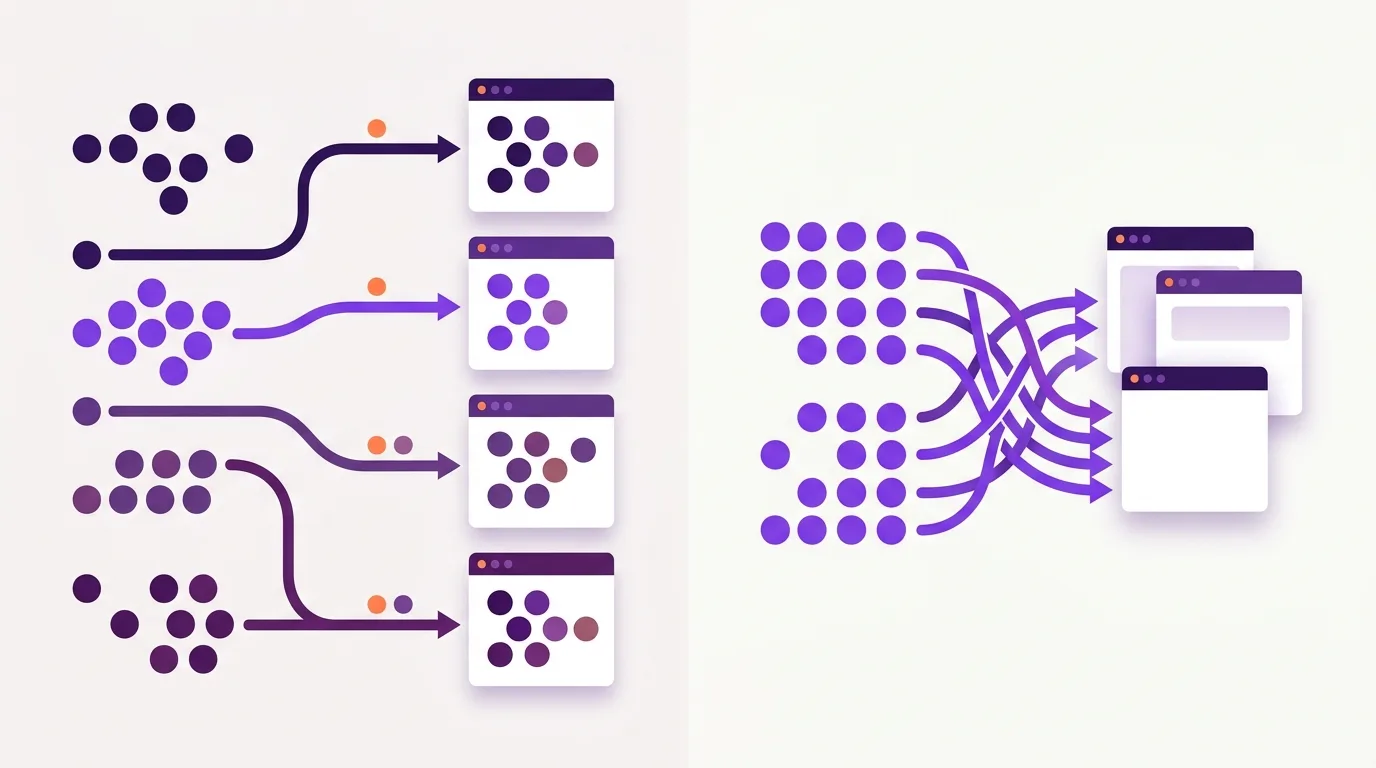
What are keyword mapping and cannibalization?
Keyword mapping is an editorial planning tool that assigns related queries to the pages best suited to answer them. Keyword cannibalization is a performance problem: pages compete to meet the same need and undermine search results. Repeated words across pages, on their own, do not establish cannibalization.
Search intent is the purpose behind a search, so map content to what people need rather than choosing keywords in isolation.
A preferred landing page can serve several query groups with a shared purpose. Google’s language-matching systems can connect a page with many queries without every exact variation appearing in its content, according to the Google SEO Starter Guide. Use natural language and relevant variations; do not create a separate URL for every keyword.
Harmful competition versus useful overlap
Harmful overlap occurs when pages serve the same intent and weaken performance, not simply when they share a topic. A buying guide and a repair guide can address different needs within the same topic. Query–URL performance checks help test whether overlap is harmful.
Duplicate content concerns repeated or very similar content and is often normal rather than a spam violation, as Google explains; cannibalization can involve distinct content competing for the same intent.
Why clear page ownership matters
Clear page ownership identifies the preferred landing page for each query group and helps teams avoid content that serves the same purpose.
A keyword map gives writers a place to check before they draft a brief. If an existing page already answers the audience’s questions, improve or extend it rather than commission another page with the same purpose. This supports content strategy and planning, which connects publishing choices to audience needs and business goals such as leads and sales, not traffic alone.
A running-shoe category helps shoppers choose products, while a shoe-care guide helps owners clean and maintain them. Shared terms do not make these pages competitors. Competing shoe-care guides that answer the same questions, however, warrant investigation.
Harmful overlap can create practical problems:
- Unsuitable landing pages: A page receives visibility but does not meet the visitor’s need.
- Wasted editorial effort: Writers maintain redundant advice instead of filling useful gaps.
- Unclear performance: Results spread across similar pages make it harder to assess which content supports leads or sales.
These are possible outcomes, not evidence of an automatic cannibalization penalty or an automatic division of authority between matching pages.
Topic clusters organize related content around broader subjects; keyword mapping assigns query groups to the pages best suited to answer them.
How do you build a usable keyword map?
A usable keyword map is a working table built from your keyword list and current page inventory. Group queries by the need and page format they require, then assign each group a suitable existing URL. Propose a new page only when a distinct need has no suitable destination.
- Prepare the inputs. Use keyword research to discover queries before mapping them. Prioritize audience needs that align with business goals.
- Group by purpose. Use live search results to support judgments about needs and formats, not a mechanical overlap threshold.
- Record decisions. Note competing pages, actions, owners and review dates.
A copyable keyword map
This table records page assignments; the rows are illustrative.
| Query group | Intent | Preferred URL | Supporting variations | Page purpose | Current competing URLs | Planned action | Owner | Review date |
|---|---|---|---|---|---|---|---|---|
| Clean leather shoes | Learn | /guides/leather-shoe-care/ | Cleaning leather shoes; how to wash leather shoes | Care guide | /blog/clean-leather/ | Review redundant guide | Editor | Set date |
| Buy shoe cleaner | Purchase | /shoe-cleaners/ | Shop shoe cleaner; leather shoe cleaner | Product category | None identified | Retain | Merchandiser | Set date |
Use related wording naturally: Google can match pages to queries without every exact variation appearing, according to its SEO Starter Guide.
For on-page keyword placement, use relevant search terms in prominent headings and titles and descriptive alt and link text, as recommended by Google Search Essentials.
Revisit assignments as content, audience needs and opportunities change.
How can you confirm harmful cannibalization?
Confirm harmful cannibalization by checking whether pages flagged in your keyword map serve the same query group and show evidence of harm. Compare their content, purpose and query–URL performance over time. Multiple ranking URLs or URL switching alone do not establish a problem; make changes only when performance evidence supports them.
- Inspect the flagged pages. Compare what each page helps users accomplish. Shared terms do not necessarily mean shared intent.
- Check query-level evidence. In Google Search Console, filter a relevant query and inspect the Pages dimension. Repeat for close variants or use a suitable query-group filter.
- Compare consistent periods. Keep country, device and search-type filters consistent. Rank tracking can add context about ranking changes. Multiple URLs appearing across a reporting period do not prove simultaneous competition.
- Test for harm. Look for overlapping intent plus a plausible adverse outcome: the wrong page attracting traffic or declining combined performance. SEO data analysis helps test alternative explanations, including changed search intent, seasonality, indexing changes and broader ranking shifts.
Limits of the evidence
Search Console is a performance report, not a complete inventory of competing URLs. It can omit queries and commonly attributes performance to canonical URLs. Treat its data as evidence to assess alongside the pages themselves, not proof on its own.
Choose a fix that matches the overlap
This section matches each type of overlap to a page-ownership decision: keep, differentiate, consolidate, or address duplicate URLs.
| Overlap | Decision |
|---|---|
| Useful pages with different intents | Keep each page and its distinct role. |
| Pages with unclear roles | Differentiate their purpose and content. |
| Redundant pages serving the same intent | Consolidate into a preferred landing page. |
| Genuinely duplicate URLs | Redirect or signal a canonical preference. |
For differentiation, define each page’s unique audience need and content boundaries in the keyword map; merely swapping its primary keyword does not resolve overlap.
For consolidation, choose the destination using intent fit, useful content, organic performance, conversions, and existing links—not URL age or a single ranking snapshot. Preserve useful answers from the retired page in the destination before removal.
Implement permanent redirects from retired URLs to the chosen destination.
For duplicate or very similar pages that must remain accessible, canonicalization with rel=”canonical” provides a strong signal (Google Search Central), but Google selects the representative and treats your preference as a hint—not a fix for unrelated pages sharing a keyword (Google Search Central).
Update relevant internal links to point toward the chosen destination with descriptive link text.
Record the decision, retained URL, affected URLs, and implementation date in the map; use those ownership boundaries to guide later content changes.
Common mapping and cannibalization mistakes
This section covers keyword mapping and cannibalization mistakes that can erase useful page coverage or leave conflicting page purposes unresolved.
- Creating a page for every keyword. Map related queries together rather than splitting every wording variation into a separate brief. Google can match a page to many queries without each exact phrase appearing in its content, as explained in its SEO Starter Guide.
- Treating shared keywords as proof of harm. A tool flag is a review prompt, not a deletion instruction. Merging or deleting pages on that basis can remove useful coverage of distinct needs. Check each page’s purpose and performance before acting.
- Chasing density targets or LSI-keyword checklists. Changing repetition does not resolve conflicting page purposes. Use natural keyword optimization that serves the assigned purpose, not fixed counts or placement formulas. Unnatural repetition intended to manipulate rankings violates Google’s keyword-stuffing policy.
- Building intermediate pages for similar queries. Pages that funnel visitors through less-useful intermediaries can constitute doorway abuse under Google’s spam policies, as described in its doorway-abuse guidance.
- Using exclusion to choose a canonical. Noindex removes a page from Search and is not a canonical-selection shortcut; Google recommends rel=”canonical” instead for that purpose in its duplicate-URL guidance.
Check whether the fix improved performance
This section covers how to assess whether a keyword mapping and cannibalization fix improved search visibility and business outcomes.
- Record the baseline. Before implementation, save query–URL performance for the affected query group and all participating URLs, plus the planned change and implementation date.
- Check combined visibility. Use Google Search Console to compare combined organic clicks and impressions across affected URLs. Then check whether the preferred landing page receives visibility for its assigned queries. Treat average position and CTR as context, not standalone proof of recovery.
- Compare business outcomes. Assess organic landing-page leads or purchases alongside traffic and engagement. Set up relevant outcome tracking in Google Analytics 4 to complement search visibility data. A retained URL’s traffic increase is not success if the affected pages’ combined useful traffic or conversions decline.
- Interpret changes cautiously. Use comparable reporting periods. Account for demand shifts and broader site trends before drawing conclusions. A simple before-and-after comparison does not establish causation, and recovery has no fixed timetable. Keep monitoring and adjust content when the evidence supports it.
- Maintain page ownership. Keyword planning remains ongoing work. Make consulting the map part of your content workflow before future briefs are approved, and record changes to query groups and page ownership.
Frequently asked questions
Can branded searches return several pages from my site without indicating cannibalization?
Branded searches include your business, product or brand name. Yes, several pages can appear without indicating cannibalization. Your homepage, support page and product pages may serve different needs. Multiple results alone are not evidence of a problem. Check whether each page has a clear purpose and whether the page shown fits what the searcher wants.
Do I need a paid SEO tool to create a keyword map?
A keyword map connects search topics and user needs to the pages meant to serve them. You do not need a paid SEO tool; a spreadsheet is enough to start. Record each page’s URL, main topic, search intent and related terms. Review overlapping entries to decide whether the pages serve distinct needs or need clearer roles.
Should translated pages have separate keyword maps?
A language-specific keyword map connects local search terms and user needs to pages in that language. Yes, keep separate maps or clearly separated language tabs in a shared file. Use direct translations as a starting point, not the final keyword choices. Check local wording and intent, then connect equivalent pages across languages for easier maintenance.
Can pages on different subdomains cannibalize each other?
Keyword cannibalization is problematic overlap between pages aimed at the same search need. Yes, pages on different subdomains can compete for that need; a subdomain boundary does not make their purposes distinct. Review them together in your keyword map. Keep separate pages when they serve different audiences or tasks, rather than merging them solely because their keywords overlap.