
Quick answer: Redirects send visitors and crawlers from one URL to another; broken links lead to unavailable destinations. Fix incorrect links directly, redirect permanently moved pages to relevant replacements, and return a genuine not-found response when deleted content has no equivalent. Test both the response status and the final destination.
Key facts
- Google recommends server-side 301 or 308 redirects for permanent URL changes. Redirects and Google Search
- Google follows temporary redirects, but the redirect itself is not a signal to make the destination canonical. Redirects and Google Search
- Deleted content without a similar replacement should return HTTP 404 or 410. Troubleshoot Google Search Crawling Errors
- Missing-content pages returning HTTP 200 can be classified as soft 404s. Troubleshoot Google Search Crawling Errors
- For site moves, retain redirects as long as possible, generally at least one year. Site Moves and Migrations
TL;DR: Repair links at their source, redirect moved URLs directly to relevant replacements, and leave genuinely removed content with an appropriate not-found response.
- Broken link
- A hyperlink whose destination is unavailable or cannot be reached; a not-found response is one possible cause.
- HTTP redirect
- A server response that directs a client from the requested URL to another URL.
- Redirect chain
- A sequence in which a redirect destination redirects again before the final page is reached.
- Soft 404
- Google’s classification for an apparent missing-content page that does not return an appropriate not-found response.
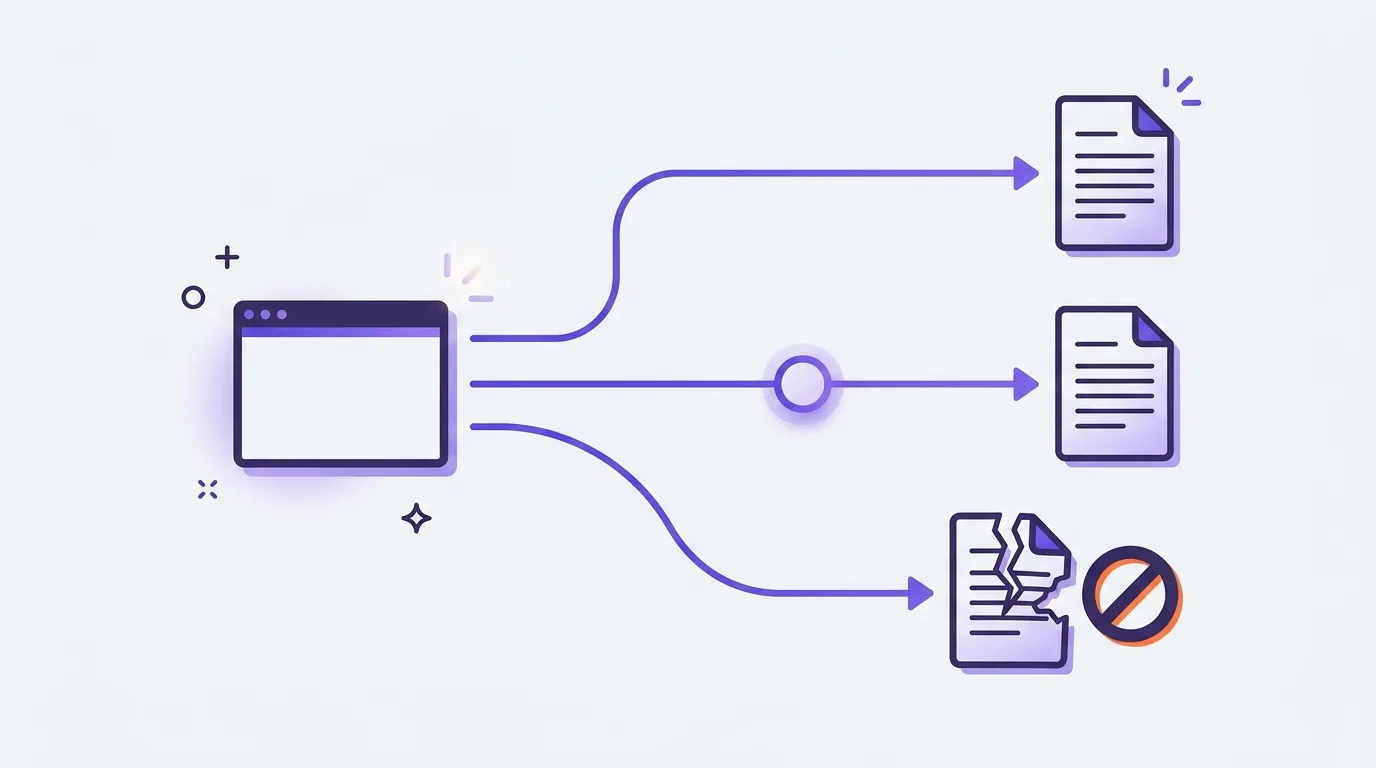
What are redirects and broken links?
Redirects and broken links describe different outcomes when someone follows a link. A redirect sends the visitor from the requested URL to another URL and may reach the intended content. A broken link leads to an unavailable destination, which can fail in several ways.
The link, URL and response
A link points to a destination; the destination’s response determines what happens next.
- Source page: The page containing the link.
- Requested URL: The address the link points to.
- HTTP response: The server’s reply to that request.
For example, /guides/old-pruning-guide may redirect to /guides/pruning and deliver the intended guide. That link is not inherently broken. A mistyped address, /guides/prunning, may instead return a not-found response.
Missing content versus other failures
HTTP 404 Not Found means the server cannot find the requested resource or will not disclose its existence; the status alone does not establish whether this is temporary or permanent, as defined in RFC 9110.
Connection failures, access restrictions and server failures can also block a destination, but they do not establish that the page is missing.
Links also help search engines discover URLs, as explained in how search engines work.
Why do these issues matter for visitors and SEO?
Redirects and broken links matter because they can interrupt a visitor’s task or leave useful content out of reach. The most urgent problems affect key user journeys, useful pages, or important inbound links. Their SEO impact depends on the URL’s purpose and what visitors find at the destination.
Prioritize visitor and business impact
Repair priority reflects the harm caused, not just the number of reported URLs.
- Fix unavailable destinations that block purchases, enquiries, or other important tasks.
- Use traffic and conversions to identify useful pages that visitors still need.
- Check important backlinks—links from other sites—that land on unavailable URLs.
Separate valid responses from defects
A not-found response is appropriate when intentionally deleted content has no similar replacement: Google recommends HTTP 404 or 410 rather than an automatic redirect, so this is not itself a defect to eliminate (Google Search Central).
The old fixed-percentage link-equity claim is outdated: Google says permanent redirects do not cause PageRank loss, but that does not mean rankings will stay unchanged (Google Search Central).
Repeated failed requests and unnecessary redirect hops deserve investigation; assess their wider crawling impact through crawlability and crawl-budget analysis.
Which response should a moved or deleted URL return?
The right response depends on whether the change is permanent, temporary, or unintended. Redirect moved content only to a suitable replacement. Restore pages that disappeared by mistake. If deleted content has no equivalent, return a genuine not-found response and help visitors find other useful pages.
| Situation | Response to choose |
|---|---|
| Permanent move to equivalent content | Use a server-side 301 Moved Permanently or 308 Permanent Redirect; Google treats permanent redirects as a canonical signal (Google Search Central). |
| Genuinely temporary move | Use 302 Found or 307 Temporary Redirect; Google follows them, but the redirect itself does not signal that the destination should become canonical (Google Search Central). |
| Accidental disappearance | Restore the page that should still exist rather than automatically redirecting it. |
| Deliberate deletion without an equivalent | Return 404 Not Found or 410 Gone, rather than redirecting to unrelated content (Google Search Central). |
A 404 response does not specify whether the absence is temporary or permanent (RFC 9110). Offer helpful navigation on the error page without disguising its response status.
Canonical annotations identify a preferred URL but do not send visitors there, so they do not replace redirects.
Find broken links and prioritize the repair queue
This section covers finding failed destinations and building a repair queue as part of a technical SEO audit.
- Crawl the site. Use Screaming Frog SEO Spider or an equivalent crawler to find broken destinations, redirect chains, and redirect loops. Export destination URLs, response statuses, referring pages, and redirect paths.
- Separate the findings. Group broken internal links, broken outbound links, and inbound links pointing to unavailable URLs on your site. Keep their repair queues distinct.
- Check beyond the crawl. Use the Page indexing report and URL Inspection in Google Search Console for Google’s observations of affected URLs, not a complete broken-link inventory. Supplement findings with server logs where available and backlink data from Ahrefs or Semrush to discover old URLs that no longer have internal links.
- Confirm each failure. Manually open affected destinations and check their responses before acting. Crawler blocking, timeouts, and temporary outages can make working destinations appear broken. Retest uncertain results.
- Build the repair queue. Record the source URL, affected destination, observed status, intended content, proposed action, priority, and owner. Prioritize important navigation paths and URLs with meaningful traffic, backlinks, or conversion relevance. Mark unclear cases for investigation rather than choosing a replacement without checking.
Repair links and implement direct redirects
Link repair corrects wrong destinations, replaces unavailable references, and routes moved URLs directly to equivalent content.
- Correct internal links. Change each incorrect href to the intended working destination. Broader internal linking strategy connects related pages and supports navigation.
- Map moved content. Create an old-to-new URL list, checking that each replacement serves substantially the same need.
- Implement the redirect. Use the server, CDN, or CMS layer that controls the URL. The response status states the redirect type; the HTTP Location header supplies its destination. Google recommends server-side 301 or 308 redirects for permanent moves, signaling the preferred destination URL (Google Search Central). Google follows temporary 302 or 307 redirects without that signal (Google Search Central). Client-side options have rendering dependencies.
- Use direct destinations. Redirect straight to the final URL (Google Search Central). Update internal links too, but retain useful redirects for external links and bookmarks; these repairs complement each other (Google Search Central).
- Repair outbound links. Verify the external destination, then update, replace, or remove the link. External-link policy guides which references to include.
- Recover inbound destinations. For obsolete URLs you control, restore useful content or redirect to an equivalent. Request source-link corrections where appropriate.
Common mistakes: irrelevant targets, soft 404s, chains, and loops
This section covers redirect and error-page mistakes that mislead visitors, hide missing content, or create unnecessary requests.
Irrelevant targets and soft errors
Irrelevant redirects send visitors somewhere unrelated; routing missing URLs to the homepage or an unrelated category may trigger a soft 404 classification, as Google explains.
A missing-content message served with HTTP 200 OK can also be classified as a soft 404, according to Google.
Keep helpful navigation on error pages, but verify that they return the appropriate not-found status; indexability concerns whether pages can enter a search index.
Chains and loops
Redirect chains pass through intermediate URLs; redirect loops circle back instead of reaching content.
- Chain: A → B → C. Change A → B to A → C and retain B → C, following Google’s direct-redirect advice.
- Loop: A → B → A. Remove the reverse rule so B serves the intended content.
Chain removal improves reliability and avoids unnecessary requests—not fixed PageRank losses per hop; Google states that permanent redirects do not lose PageRank.
Extra requests can add latency; see page speed optimization.
Overbroad rules
Broad redirect rules match groups of URLs. Test unrelated paths and destination URLs so rules neither capture unrelated content nor redirect destinations back to their sources.
How do you verify repairs and monitor recurrence?
Verify repairs by testing affected URLs with browser developer tools, a redirect checker, or an HTTP client. Inspect actual responses, not just rendered pages. Confirm intended destinations and corrected source links, then recrawl after deployment. Monitor recurrence after releases and URL changes, with a named owner for follow-up.
Check each URL’s intended behavior
- For redirects, check the expected HTTP status and HTTP Location header destination. Confirm no loops, a direct path, and a working final page containing the intended replacement; Google recommends redirecting directly to the final destination (Google Search Central).
- For deliberate removals without an equivalent, confirm 404 Not Found or 410 Gone (Google Search Central).
- A missing-content page returning 200 OK may become a soft 404, so check beyond its appearance (Google Search Central).
Monitor unresolved issues and recurrence
Post-deployment checks confirm intended behavior, not an empty error report. Recrawl with Screaming Frog and compare broken internal links, unnecessary chains, loops, and priority URLs against the repair queue.
Check Search Console after Google revisits affected URLs. An expected “Page with redirect” status is not itself a failure. Keep repair checks separate from wider index-coverage diagnosis.
As part of the ongoing SEO cycle, schedule checks or alerts around site change frequency. Treat traffic and rankings as context, not proof of a redirect’s impact.
Frequently asked questions
How long should redirects remain in place after a site move?
Redirects send requests for old URLs to their new locations. Google recommends keeping site-move redirects for as long as possible, generally at least one year, and updating internal links to the new URLs (Google Search Central). Keep them longer when old links or bookmarks still matter, and retain control of the old domain.
Can I redirect a broken URL on a domain I do not control?
A redirect is a response from the system serving the original URL. You cannot set it up without authorized access to that system or help from its owner. Ask the domain owner to fix the link or add a suitable redirect. If your own site links to the broken URL, update or remove that link instead.
Can redirects be used for moved PDFs and images?
Redirects work at the URL level, so they can send requests for moved PDFs and images to their new locations. For permanent moves, use server-side 301 or 308 redirects, as Google recommends for permanent URL changes (Google Search Central). Map each old file URL to its matching replacement, and update links and image references on your site.
Should a temporarily out-of-stock product page be treated as deleted content?
A temporarily out-of-stock product page describes an item that is unavailable now, not deleted content. Keep the page accessible, state its availability clearly, and retain useful product details. Do not remove or redirect it solely because stock has run out. Treat permanent removal as a separate decision based on whether a relevant replacement exists.