
Updated November 11, 2026 · By RAMRAD · Reviewed by Robin Rad
Crawl depth is the link distance from a crawl’s starting page to a URL; click depth is the navigation path a visitor follows. Content depth is different: it describes how fully a page answers its topic. Use a crawler to measure link paths, then review navigation separately from content. Prioritise important pages that are poorly connected.
Crawl depth SEO starts by separating those problems. A useful page can be hard to reach, while a prominent page can still leave key questions unanswered. Measuring crawl and click depth lets you judge which pages need shorter paths. Assessing content takes more than a word count. The right fixes depend on the page’s purpose and your site architecture, not a single depth target.
For an initial site check, enter your website address in the AI SEO Platform for a free health check built on measured data. Assess navigation separately from indexability when deciding what needs attention. Content quality needs its own assessment, too.
What is crawl depth in SEO?
In crawl depth SEO, depth is the shortest link path a crawler discovers with your selected crawl settings. It’s a property of that crawl, not just of the page itself: the starting URL and the links your crawler can follow determine how deep a page appears in the report.
Screaming Frog SEO Spider gives the starting page a depth of 0, according to Screaming Frog. You can start at the homepage, as many crawls do, but you don’t have to. A category page sets a different reference point, so check where each crawl started before comparing reports.
Link paths determine depth
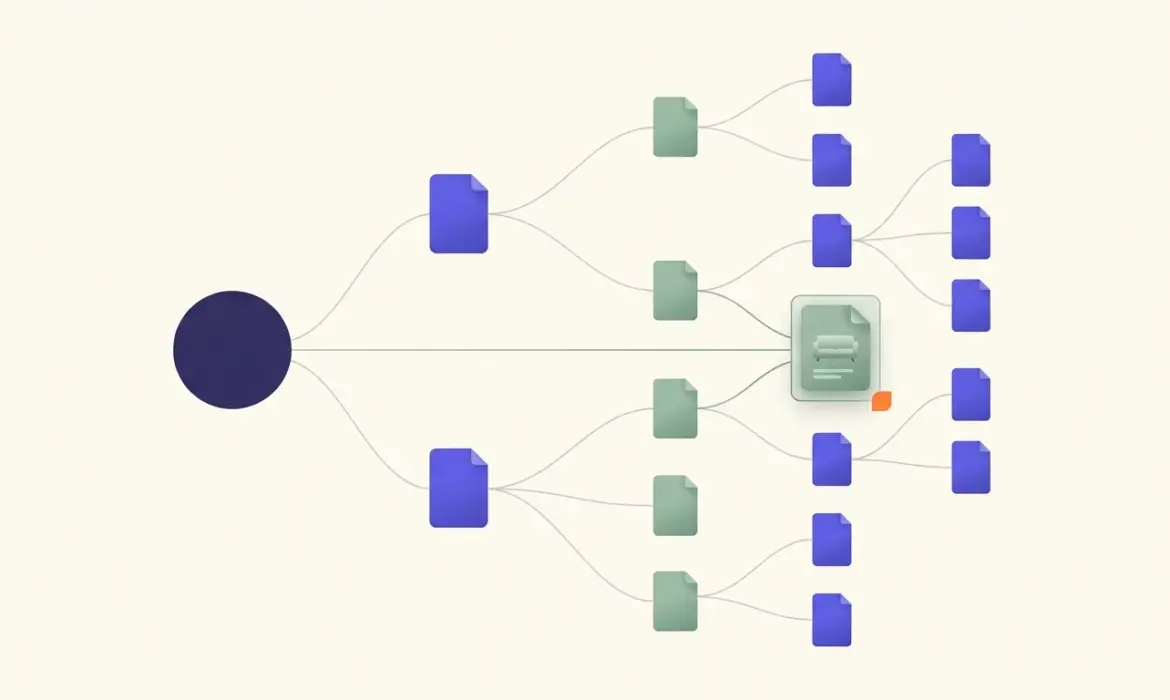
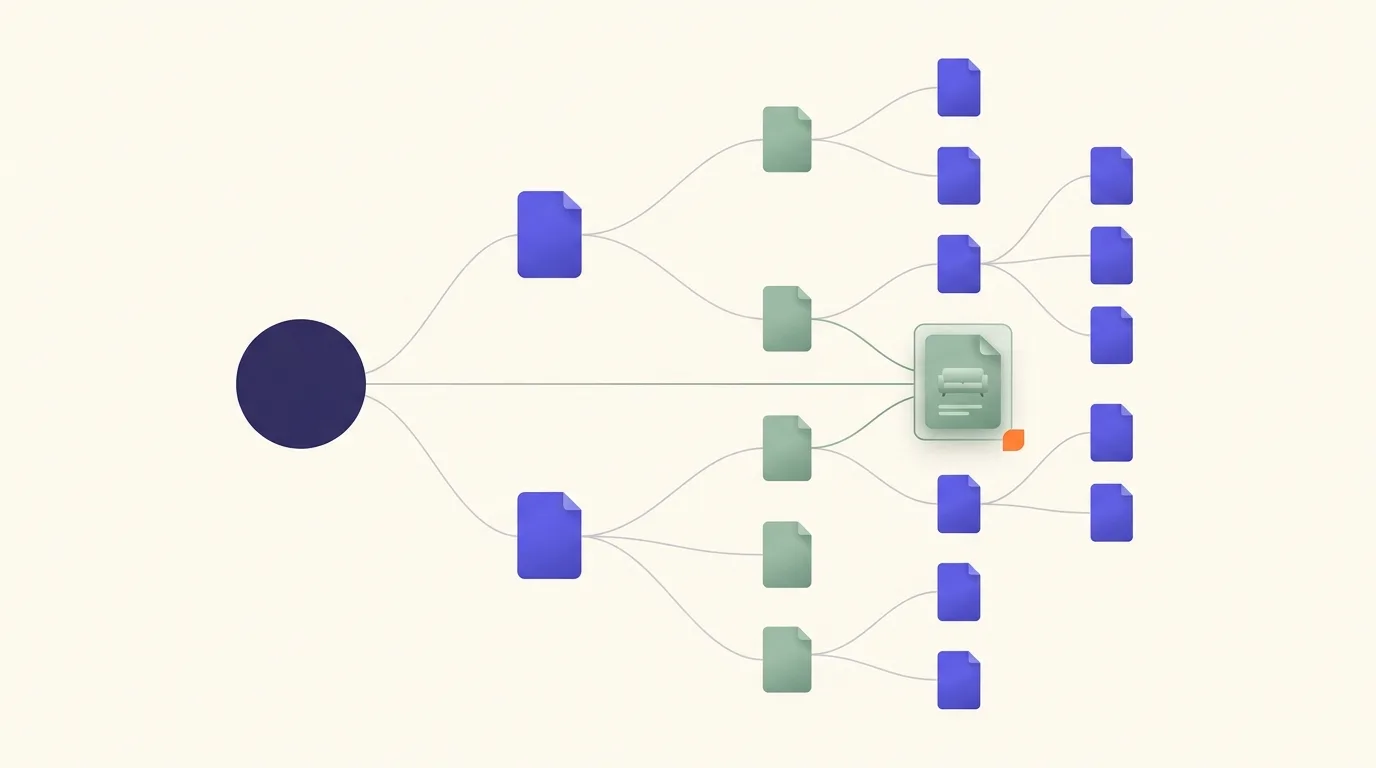
Say you run an online furniture shop. Your homepage links to a dining tables category, and that category links to a product detail page. That’s a route the crawler can follow to the product. Add a direct homepage link to the same product and the crawler can discover a shorter path.
Don’t judge depth by how nested the URL looks. Even a product URL with several folders can sit close to the homepage if your internal links provide a short route to it.
Discovery isn’t the same as visibility
A discovered URL hasn’t necessarily had its content fetched by Googlebot. Crawling is separate from indexing; serving results is another stage again. As Google Search Central explains, pages don’t always progress through these stages. Finding a page doesn’t establish that Google has indexed it, or that it’ll appear in search results.
You don’t need to minimise depth for every page. Focus on giving important pages useful, crawlable links from relevant pages instead. For the furniture shop, that means clear category links and relevant product links—not putting every product in the main navigation.
How do crawl depth, click depth and content depth differ?
Crawl depth and click depth often describe the same link distance when they share a starting point and accessible links. Here, crawl depth means crawler-discovered paths; click depth means the visitor route being tested. Content depth means useful coverage of a reader’s question and supporting subquestions, backed by evidence. Practical next steps matter—not word count.

For page depth SEO, check what the tool measures. Link distance isn’t the same as navigation hierarchy, and neither is interchangeable with URL-directory depth.
Screaming Frog SEO Spider starts at depth 0 and flags depth 4 or greater by default, according to Screaming Frog. Deeper pages can still be appropriate, depending on their importance and site size.
A furniture shop’s delivery page might sit in the main menu but omit delivery restrictions. A detailed assembly guide might answer every question yet remain buried in navigation.
Which kind of depth are you diagnosing? Use this table as a diagnostic aid, not a set of ranking thresholds.
| Dimension | What it describes | How to assess it | Typical improvement |
|---|---|---|---|
| Crawl depth | Shortest link path discovered from the crawl’s starting URL under its settings | Crawler depth export with scope and limits recorded | Add relevant crawlable links from accessible pages |
| Click depth | Link distance or the navigation route tested from a chosen starting page | Manual navigation tests alongside crawler paths | Remove unnecessary navigation detours |
| Content depth | How completely and usefully a page addresses its intended question | Intent, coverage, evidence and task-completion review | Fill meaningful gaps and remove irrelevant expansion |
When reviewing the AI SEO Audit, check its stated scope before deciding which findings can inform your depth assessment.
How do you measure crawl depth and click depth?
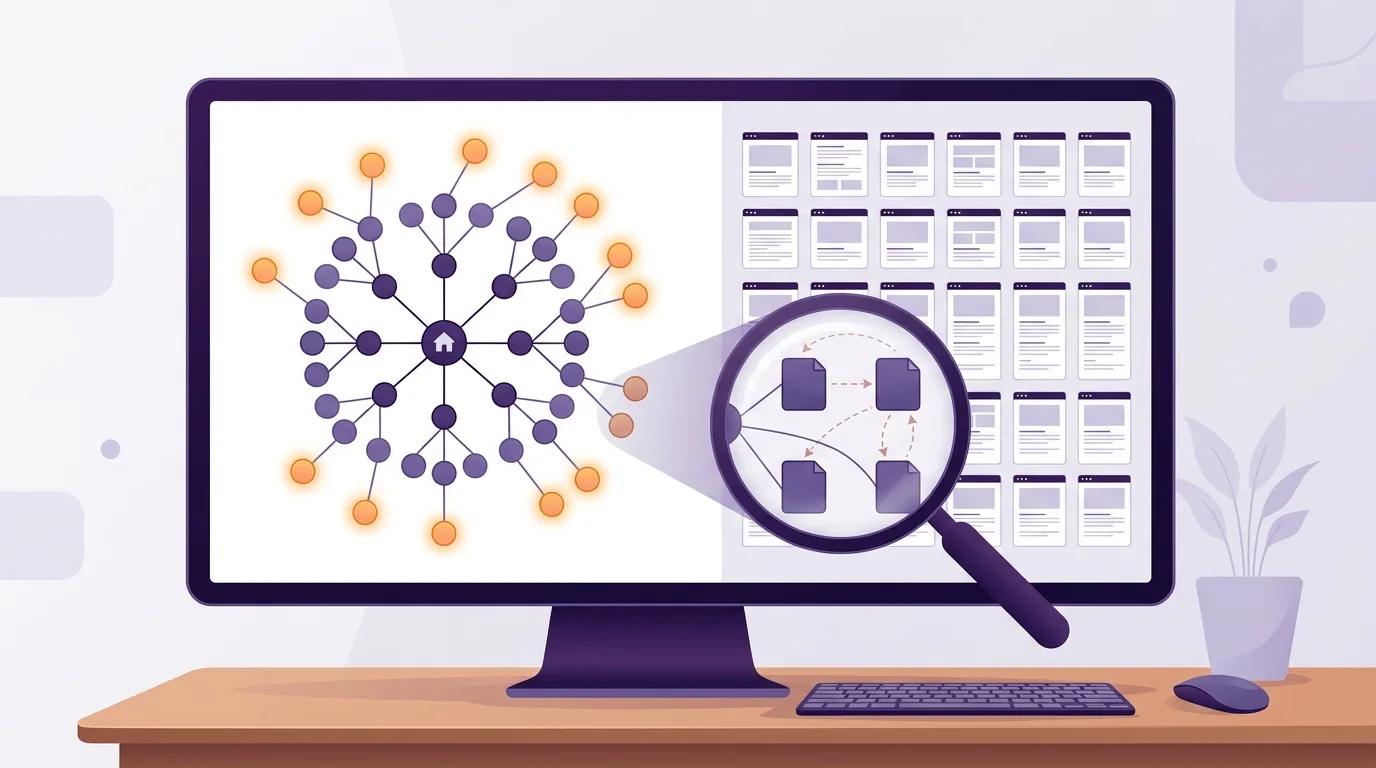
Start a crawl from your homepage and save its scope and limits. Record the rendering settings too. Export each URL’s depth and status; include indexability and internal links where available. Then test visitor journeys from that homepage, comparing routes by page template and business importance rather than a sitewide average.
Set up a repeatable crawl
In Screaming Frog SEO Spider, the starting page has depth 0; its default warning flags depths of 4 or more, according to Screaming Frog. Treat that warning as a review prompt, not a verdict.
Save your crawl setup alongside the export:
- The homepage URL and included site areas.
- Rendering settings, including whether JavaScript rendering was enabled.
- URL exclusions and crawl limits.
- The crawl date, so you can compare later runs.
Group exported URLs by template, such as category or product pages. Mark business-critical pages separately. Check their incoming internal links and indexability alongside depth.
Check routes and interpret the sample
Manually test representative navigation journeys from the homepage. Record each page visited, then place that route beside the crawler’s shortest discovered route. A visitor may miss a shortcut the crawler found.
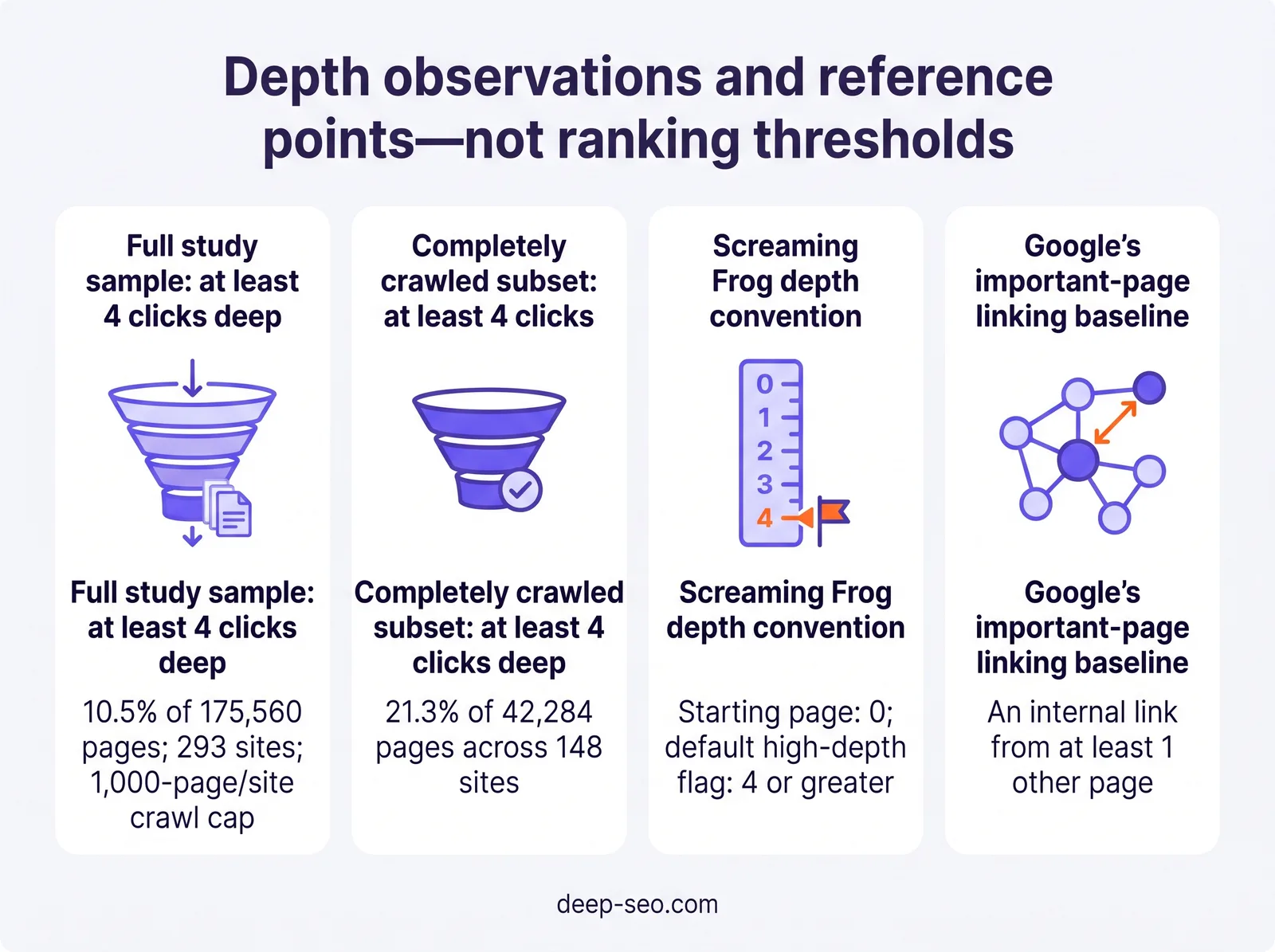
In October 2026, 10.5% of 175,560 crawled HTML pages across 293 ranking websites were at least 4 clicks deep, with a 1,000-page-per-site cap, according to PageSpeed Matters. Among 148 completely crawled websites, 21.3% of 42,284 HTML pages were at least 4 clicks deep, according to PageSpeed Matters.
These differently composed samples aren’t a controlled comparison or a universal benchmark. The cap understates depth on larger sites. Review your own limits before interpreting the distribution: a partial crawl may omit deeper paths.
How deep is too deep for an important page?
An important page is too deep when its value calls for an easier route than your site provides. There’s no universal maximum-click rule: Screaming Frog flags depth 4 or greater by default, but deeper pages can be appropriate depending on importance and site size, according to Screaming Frog.
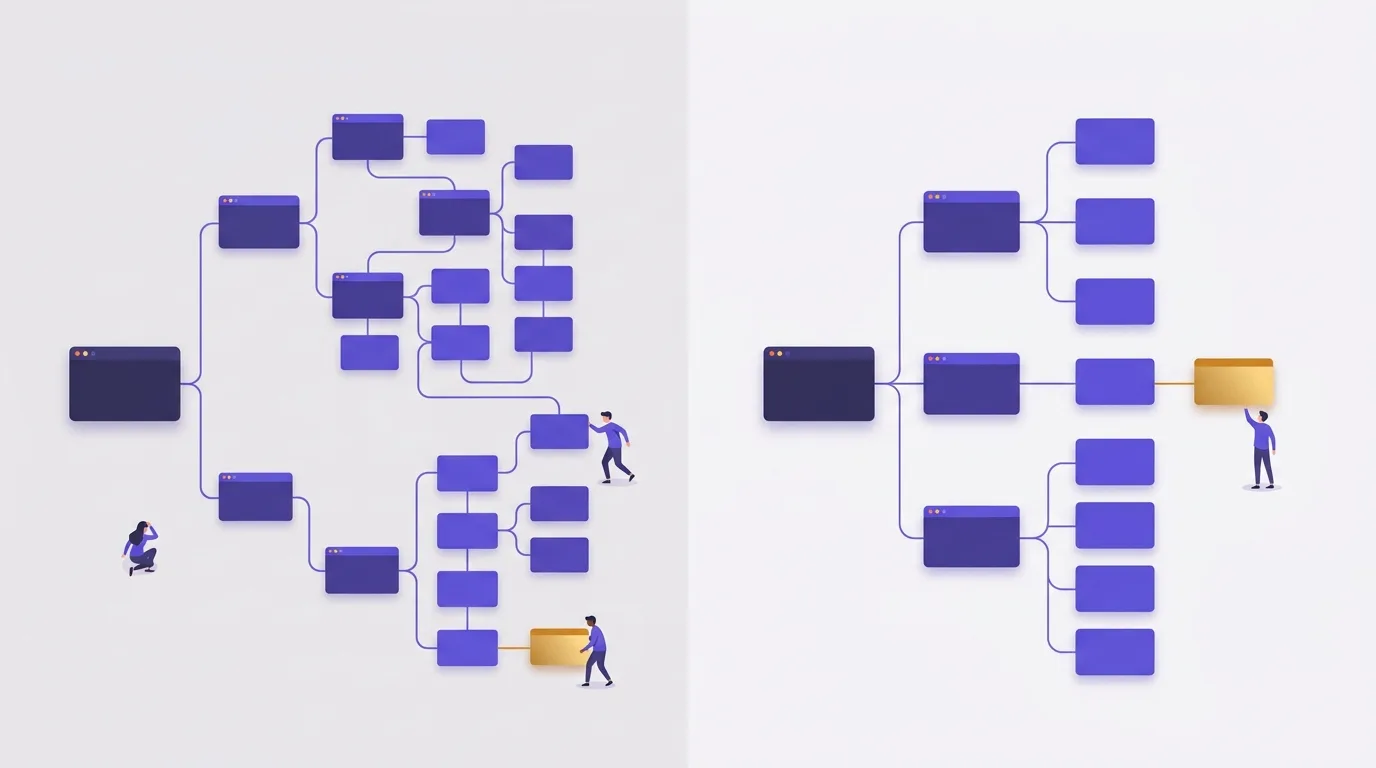
Use that warning to decide where to look, not what to move. It’s a review prompt, not a Google requirement, because a flagged page may be fine where it is. An unflagged page can still have a poor navigation route.
Judge depth against the page’s role
Look first at commercially important pages and essential resources that are difficult to reach. Key topic pages deserve the same check. Say you sell office furniture: your main office-chair category warrants closer attention than an old announcement buried in the news archive.
A large archive can reasonably have deep pages if visitors can browse them through clear categories. The problem is unnecessary depth, where a current, useful page is hard to reach because navigation is weak or related content doesn’t link to it. Check those routes before you change the wider site architecture.
Use internal links as a baseline
Every important page should receive an internal link from at least 1 other page, according to Google Search Central. Treat Google’s recommendation as a baseline for internal linking. A single link doesn’t prove that a page is accessible enough in every case.
Where the links come from matters. You may give visitors a more useful route through a relevant category page or related resource than through an obscure archive entry. Before you prioritise changes, weigh the page’s importance against your site’s size and the paths available to it. Focus on pages whose routes don’t match their role; don’t force every URL under the same depth threshold.
Curious how your own site does? Run the free website check and RamradOS, our AI SEO assistant, picks it up from there. Start the free check →
How can you reduce crawl depth and click depth?
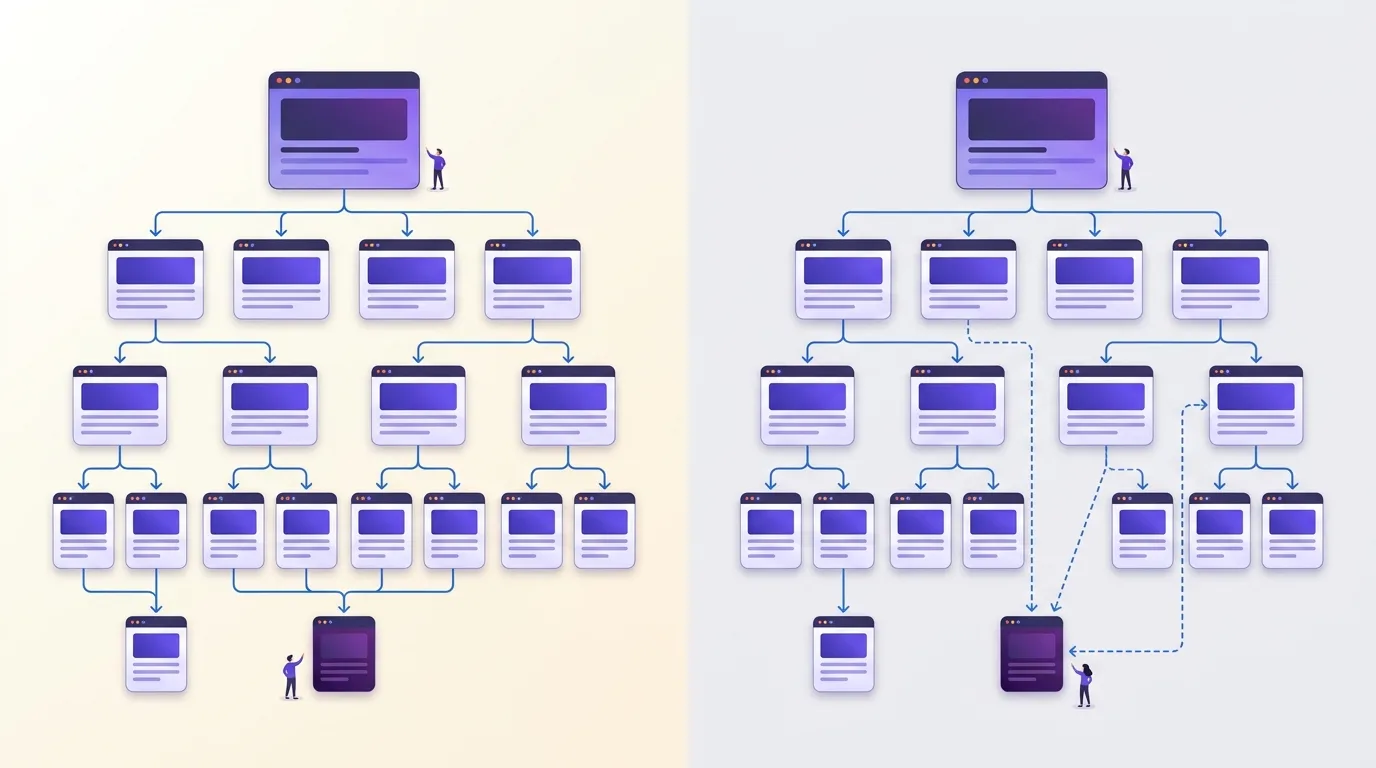
Reduce crawl depth and click depth by linking to important deep pages from accessible category pages or topic hubs. Relevant articles can provide another route. Cut unnecessary navigation detours and use clear link labels, then repeat your crawl and user journeys to check whether the intended routes are shorter.
Add links where they make sense
According to Google Search Central, Google recommends that every important page receive an internal link from at least one other page on your website. Choose a page visitors can reach easily, but make sure its content relates to the destination.
A furniture category page, for example, is a sensible place to link to a buried dining table collection. Give that link descriptive anchor text such as “extendable dining tables”, not “click here”. Follow Google’s link best practices by using ordinary anchor links with an href pointing to the destination rather than script-only controls.
Remove detours without flattening the site
If visitors have to pass through unrelated pages to find what they need, review your category organisation. Important collections belong under relevant categories, with navigation labels that match the content you’ll find there.
Breadcrumb links can support navigation, but they usually point back towards parent pages. They don’t automatically shorten the route from the homepage to a deep page, so check which way each link points and follow the actual path towards the destination.
An oversized menu containing every page isn’t the answer. Nor are irrelevant links added just to lower a depth figure: both put the number ahead of useful site architecture.
Verify the revised paths
Re-crawl with matching settings so you can compare the affected URLs, then repeat the same user journeys. Check that the routes you intended to shorten actually became shorter and that they’re still easy to follow.
How do you measure and improve content depth?
Measure content depth by checking whether your page answers the reader’s main question and gives them enough detail to complete their task. It’s an editorial assessment, not a standard crawler metric. Fill gaps in the explanation and support your advice with evidence or examples. Cut anything that adds length without helping the reader.

Build a coverage checklist
Start with what the reader needs to understand or do after reading. That’s the primary intent, and your coverage checklist should follow it:
- A direct answer to the main question.
- Explanations needed to understand that answer.
- Practical steps for completing the task.
- Evidence supporting claims and recommendations.
- Limitations and reader questions that remain unresolved.
Search results and related questions can point to gaps, but don’t treat competitors’ headings as your brief. Check each possible addition against the reader’s task. A topic can be related without belonging on the page.
Then read the draft as someone trying to use it: can you follow the instructions without guessing, and does the advice make clear when it might not apply?
Turn an explanation into a usable answer
Say your crawl-depth page only defines the term. That won’t be enough for a reader who needs to measure depth and fix deep pages, because the definition leaves the practical task unanswered.
Explain the crawl setup described earlier and how to interpret the depth findings. Then show the reader how to choose relevant internal links. Use an example route through a category page, including how to verify the change.
You can make room for that detail by cutting repeated definitions. If rendering settings or indexability would overwhelm the main answer, link to focused supporting pages instead.
Deep SEO offers the AI SEO Audit, and its reports state what was measured and what wasn’t. Don’t assume a report includes crawl-depth measurements unless its scope confirms that; content coverage still needs an editorial assessment.
Can sitemaps or crawl-budget changes solve deep-page problems?
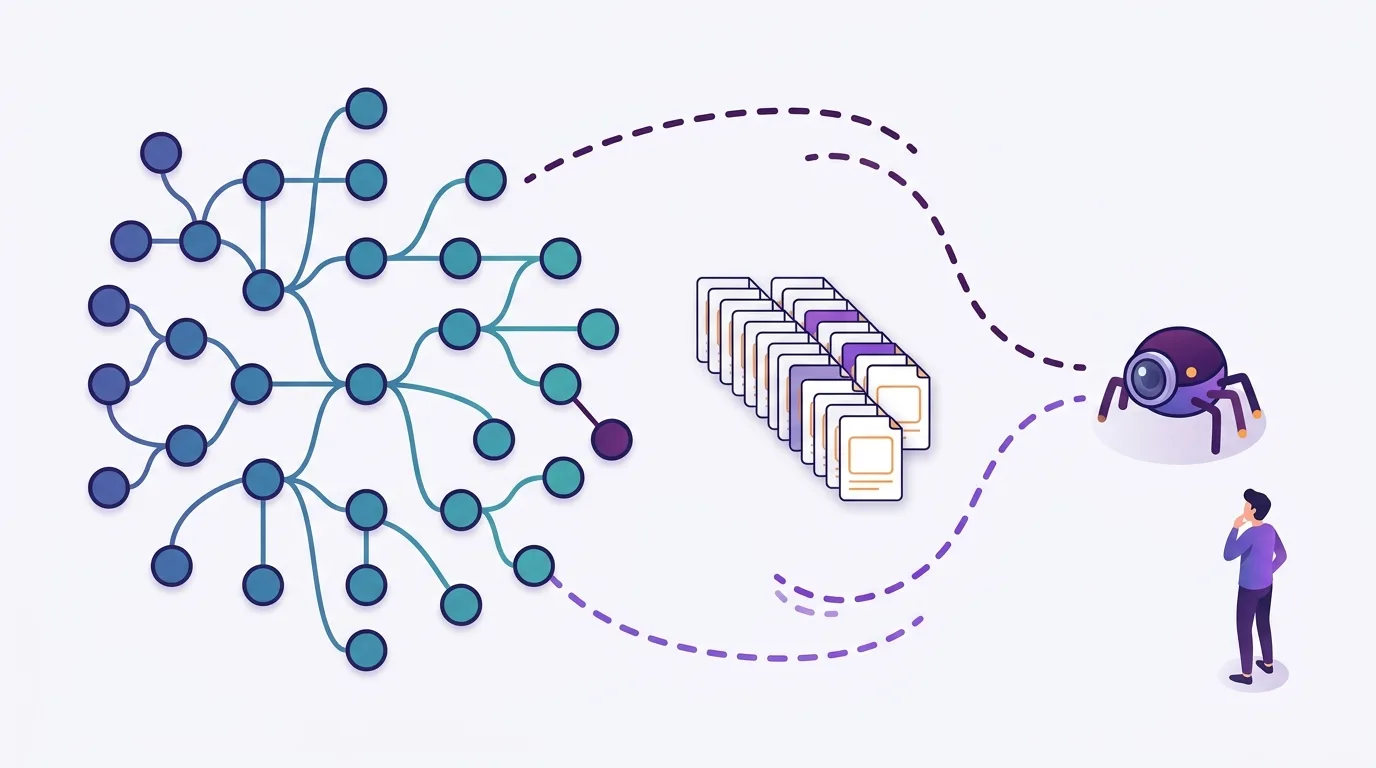
Sitemaps can help with URL discovery, but they don’t shorten the click path to a page. Crawl-budget work may matter on large or fast-changing sites, yet it doesn’t repair weak navigation. Use sitemaps alongside internal linking. Before blaming crawl budget, check whether crawlers can access the page and whether it’s indexable.
Discovery isn’t a shorter route
Adding a deep URL to an XML sitemap gives crawlers a discovery route. It doesn’t create a navigation link for your visitors. Keep useful routes through your site architecture rather than relying on a sitemap to replace them.
Google recommends that every important page receive an internal link from at least one other page, according to Google Search Central. Check that those links are crawlable, not just visible on screen.
If you’re updating sitemaps, each file has limits of 50,000 URLs or 50 MB uncompressed, per Google Search Central. Split larger inventories or files across multiple sitemaps.
Check whether crawl budget fits the problem
Google’s advanced crawl-budget guidance mainly concerns very large sites or those that change frequently. Sites with many discovered-but-unindexed URLs fall within that guidance too. A deep page alone isn’t evidence that Googlebot lacks crawl capacity.
On a smaller site, start by checking that internal links are accessible and the page is indexable. Check the content is useful, too. Address a blocked route or an indexing restriction before assuming crawl budget explains the problem. A sitemap won’t fix either issue.
Successful crawling doesn’t ensure indexing or inclusion in search results. Google Search Central treats crawling, indexing and serving results as distinct stages; a page may not progress through them all.
A practical deep SEO strategy: diagnose, fix and verify
Here, a deep SEO strategy means coordinating discovery and navigation work with checks on answer completeness. It isn’t a separate official SEO discipline. Use it to connect technical findings with the routes and answers your visitors need.
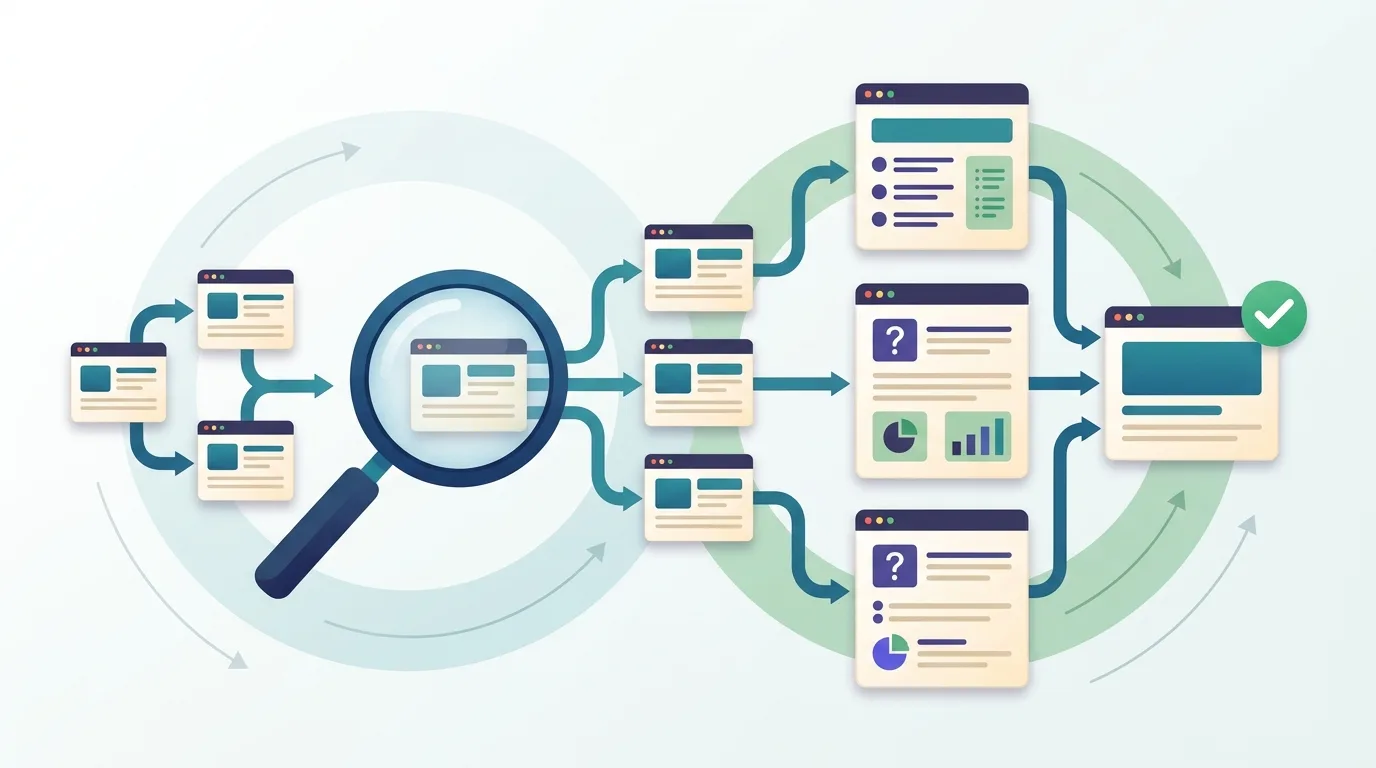
Work in order, then repeat the checks
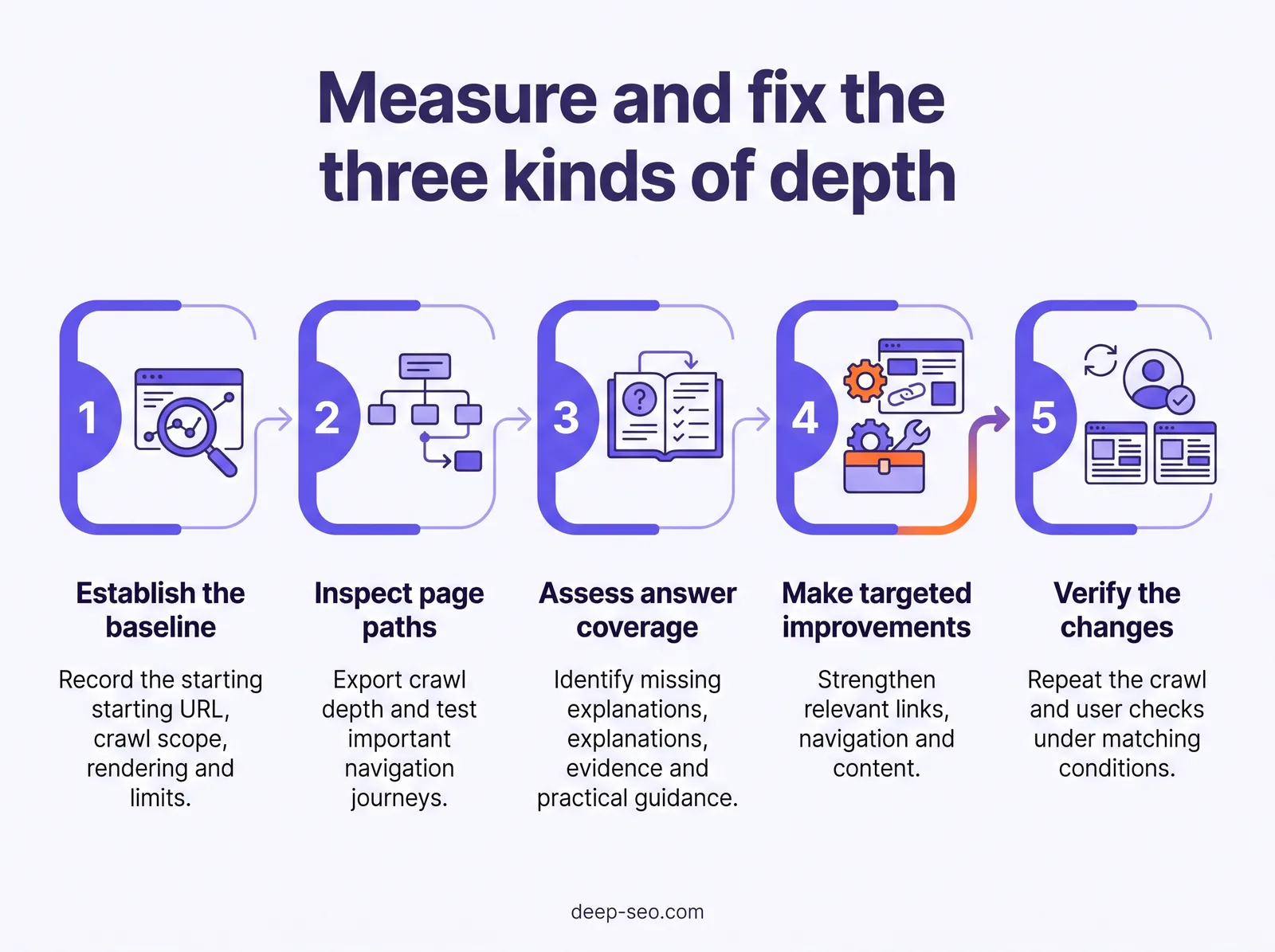
- Establish the baseline. Use the crawl export described earlier. Record exclusions and crawl limits beside the findings, along with the rendering settings. Mark untested areas as unknown, not healthy.
- Identify important, weakly connected pages. Prioritise pages that support key customer tasks. Separate measured findings, such as few discovered internal links, from assumptions about why visitors struggle.
- Improve relevant paths. Apply the linking changes above where they fit the reader’s next step. Test the revised navigation yourself rather than relying only on the crawler.
- Close content gaps. Add missing answers that support the page’s purpose. Say a delivery page omits service areas: add that information rather than unrelated background.
- Repeat the checks. Reuse the baseline settings so comparisons remain useful. Record depth changes, then test the visitor route again to confirm that the missing answer is present.
If you change crawl settings, label the comparison accordingly. A newly discovered route may reflect broader crawl coverage rather than a site improvement. Keep unfinished checks open instead of treating an implemented edit as a verified fix.
You can order the AI SEO Audit through the AI SEO Platform. For each report, we gather real site data, analyse it with AI and quality-check it before delivery.
Reusable worksheet
| Field | Record |
|---|---|
| Page | URL |
| Importance | Customer task and business priority |
| Crawl settings | Scope, rendering, exclusions and limits |
| Measured depth | Baseline and retest values |
| Tested navigation route | Starting page and links followed |
| Content gap | Missing answer or task support |
| Proposed fix | Specific edit and owner |
| Verification result | Observed change, unresolved issues and untested assumptions |
Read more
Frequently asked questions
Does adding folders to a URL increase crawl depth?
No. URL folders describe the address structure, not the link path a crawler follows. A page with a long URL can still be linked directly from your homepage. Measure crawl depth through internal links from your chosen starting page. Changing folders alone won’t shorten that path; changing navigation or contextual links can.
What crawl depth should you assign to an orphan page?
Mark it as unreachable or undefined within the internal-link crawl, rather than assigning an arbitrary depth. An orphan page has no incoming internal links, so there’s no link path to measure from your starting page. Finding its URL through a sitemap or another inventory doesn’t establish an internal-link path. Record its discovery source separately.
Can JavaScript buttons make a page reachable to visitors but difficult for a crawler to discover?
Yes. A visitor may reach a page through a button’s click handler, while a crawler may not discover the destination. For navigation, use a standard HTML link with an href pointing to the page. Google recommends internal links to important pages in its crawlable links guidance. Check the rendered navigation, not just what visitors can click.
Should multilingual versions of a website be audited separately for depth?
Audit each language version from its own entry page, then review how the versions connect across the site. Separate views let you compare equivalent sections without hiding differences in local navigation. Keep the crawl settings consistent, and label the starting point clearly: depth from a language homepage differs from depth measured from the site’s main homepage.
How often should you recheck depth after a website migration?
Recheck after launch, then after fixes that change navigation or internal links. If you’ve changed redirects, run another check. Compare against your pre-migration crawl using consistent starting points and settings. Further checks should follow the pace of site changes and any unresolved issues. A site still undergoing structural work needs closer monitoring than one whose navigation and links have settled.
Key takeaways
- Fix the pages that matter first. Use the depth findings above to decide where business value justifies a fix. Not every deep URL deserves the same attention.
- Test the route you’ve changed. Crawl again with the same settings, then try the navigation yourself to check that the intended shortcut actually works.
- Look at the destination, too. A shorter path won’t fix an indexability issue or an incomplete answer, so assess each problem separately before deciding what to change.
- Keep a record you can compare. Save your findings and changes to compare against later crawls and spot navigation problems as your site grows.
Pick an important page and check the routes to it. If you want an initial site health check, enter your website address in the AI SEO Platform for a free check built on measured data.
See what this means for your website
Start with the free check. RamradOS explains the results and, if it fits, our AI SEO Audit goes deeper.
Check your website free — in one minute
Our AI platform reviews your site and shows what to fix first. Our SEO team can implement it for you.