
Updated November 8, 2026 · By RAMRAD · Reviewed by Robin Rad
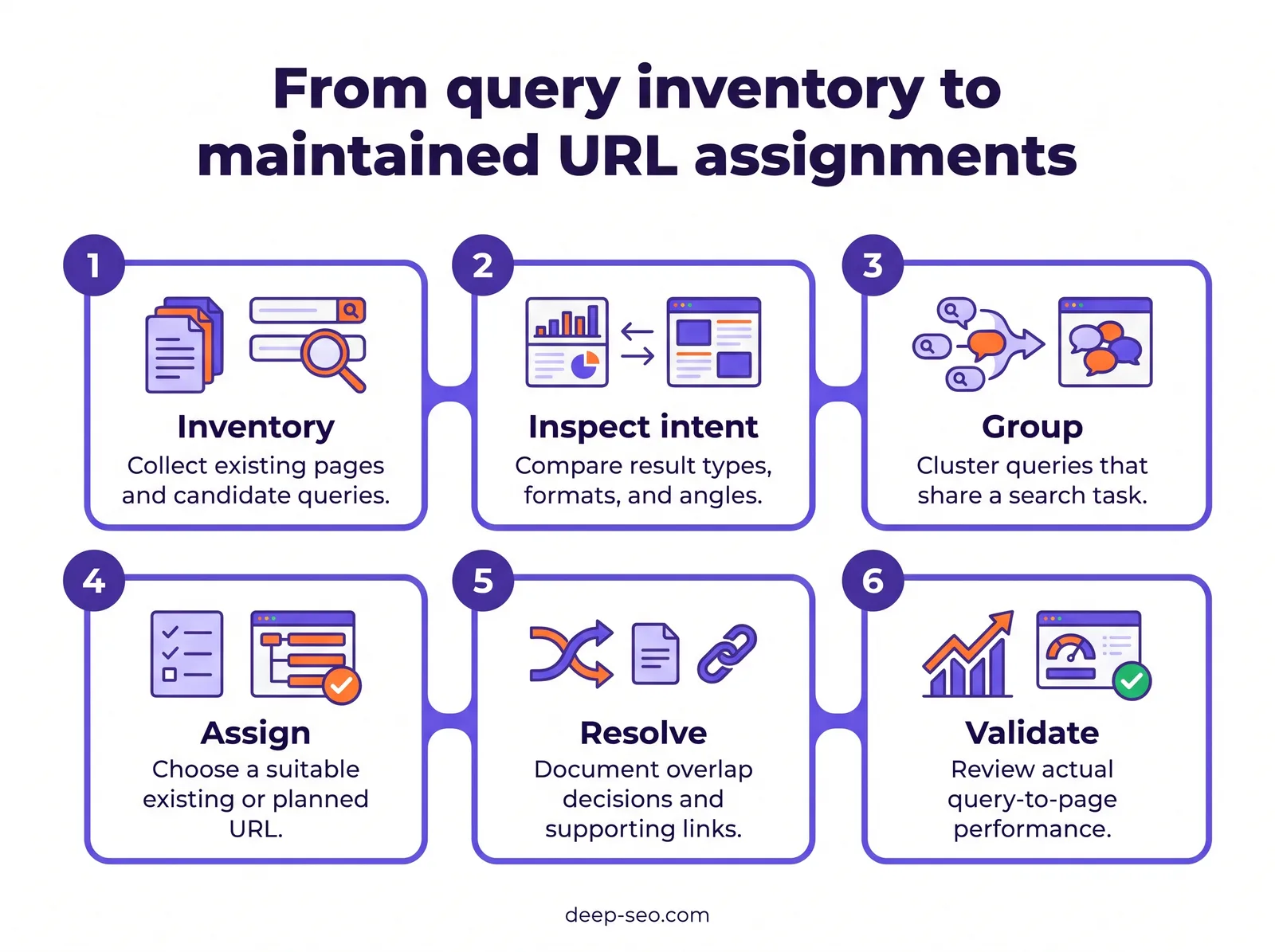
With keyword to url mapping, you assign related searches to the existing or planned page that best fits their intent. Start with these steps:
- Inventory your pages.
- Compare search results.
- Group queries that belong together.
- Record a preferred target URL for each cluster.
Resolve any competing assignments, then connect supporting pages with internal links.
You don’t need a page for every keyword variation. Each cluster needs a clear home based on what the searcher wants, so matching words alone isn’t enough. Compare the content type, format, and angle that appear in Google Search.
Use your map to decide whether an existing URL needs updating or a new page is needed. It should flag overlapping content to address, too. A practical spreadsheet ties those decisions to content briefs and internal linking. Use keyword mapping software to support these checks, and revisit assignments when your content changes. For the wider planning process, explore the keyword planning guide.
What is keyword to URL mapping?
Keyword to URL mapping connects groups of related searches with the pages that should answer them. Your map records the search intent behind each group and why the target page’s purpose fits. It’s a planning document for content decisions, not a separate assignment for every keyword variation.
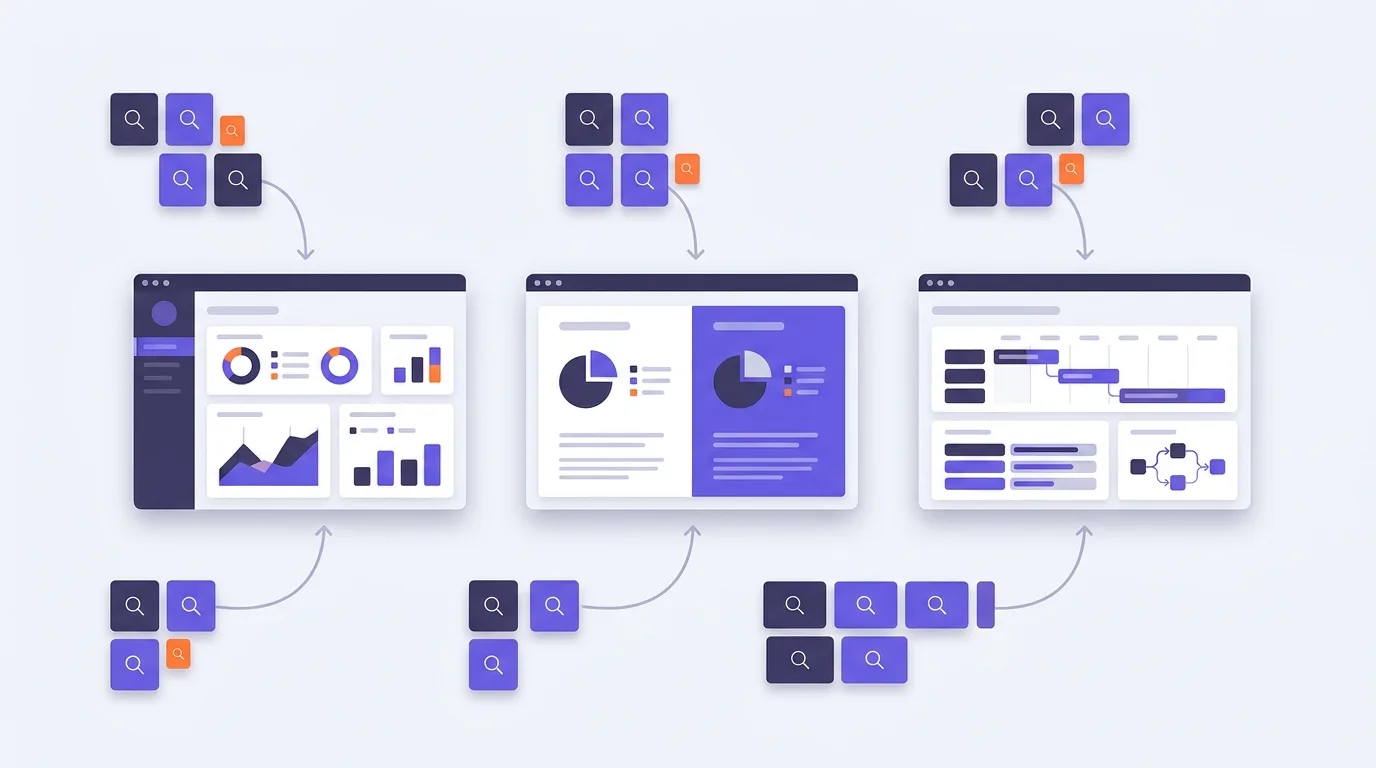
Research finds queries; mapping assigns responsibility
Keyword research gives you candidates: the terms your audience actually searches for. Clustering brings together queries that share a need, while URL assignment decides where each cluster belongs. That home can be an existing page or one you still need to create.
Say you run a project-management software site. Some searches concern software features; others ask for product comparisons. You’ll also find people searching for how to plan a project. They share a broad topic, but the answer someone needs changes, so they don’t all belong on the same page.
Your product page can explain features to potential buyers, while a comparison page helps people weigh alternatives. Readers who need to build a project plan can turn to an educational page instead. The map ties each purpose to its relevant query cluster and target URL.
Map search needs, not isolated variations
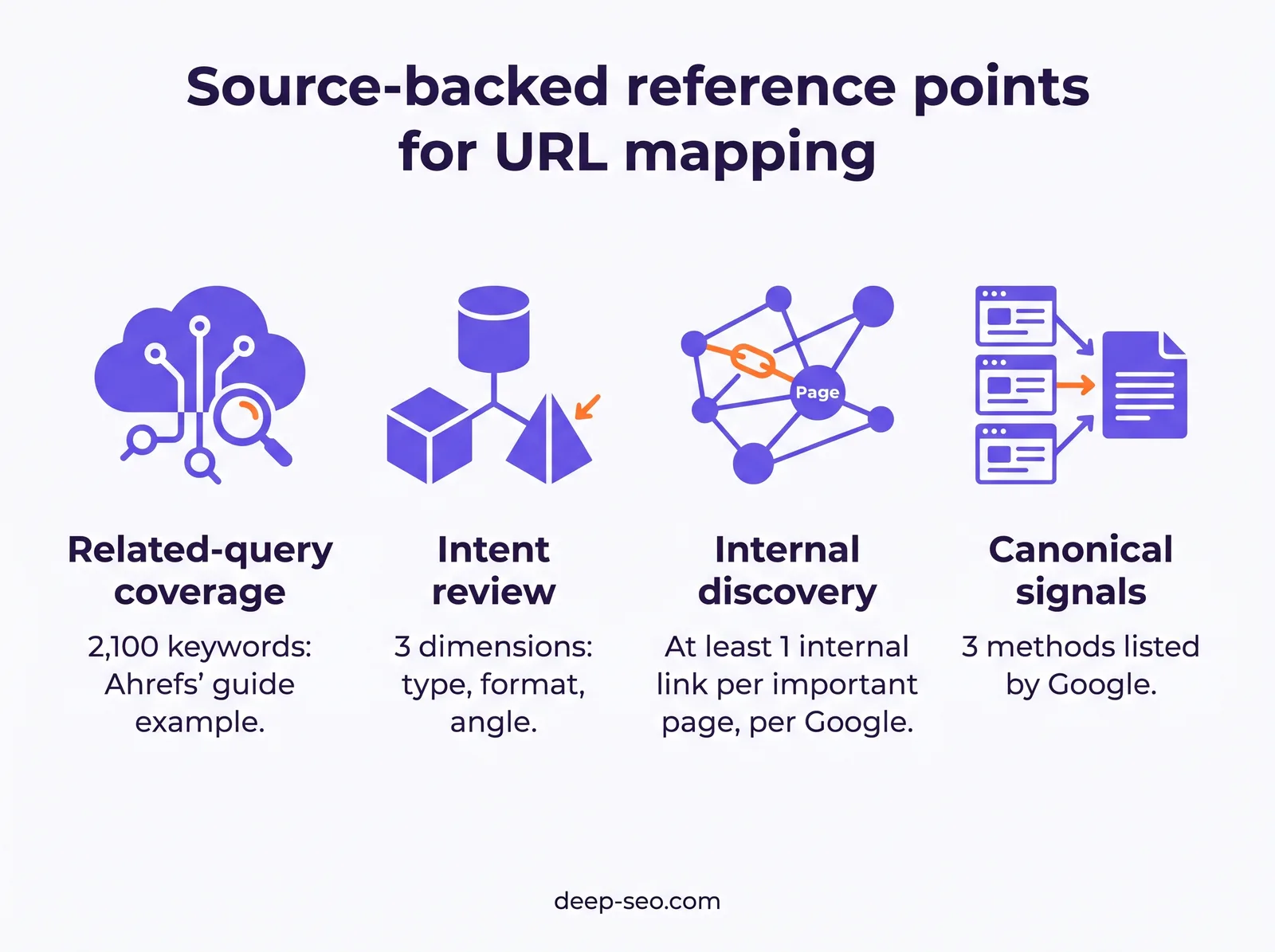
You don’t need a page for every closely related query. Ahrefs reported in its keyword-ranking article that its keyword-research guide ranked for 2,100 keywords, mostly variations of the same main topic. That illustrates query overlap; it isn’t an outcome you should expect for your page.
On your software site, “how to make a project plan” and “creating a project plan” may belong on the same educational page. Before splitting them, check whether both searches call for the same answer. Record that decision explicitly in your map so a writer doesn’t have to guess which page owns the topic.
How do you build a keyword mapping spreadsheet?
Build your keyword mapping spreadsheet around the indexable pages you already have and what each page is for. Record keyword clusters with their intent, then assign target URLs. Give each action an owner and keep uncertain matches visible. Before adding a planned URL, check whether an existing page fits.

Set up the template
Give each preferred target URL its own row in a page-level map. You’ll need these fields:
- Query group: record the cluster and representative keyword, then add supporting queries.
- Page fit: record the intent and content type alongside the page’s current purpose.
- URL decision: pair the current URL with the preferred target URL. Specify the action needed.
- Delivery: assign an owner and status. Record supporting internal links here too.
If many queries share a target, put the query detail in a linked query-level sheet. Connect the sheets by cluster name so you can read the page decisions without working through repeated rows.
Example: an online furniture shop
These sample entries record provisional decisions. They don’t include traffic or ranking estimates.
| Cluster | Current URL | Preferred target URL | Action and status |
|---|---|---|---|
| Oak dining tables | /dining-tables/oak/ | /dining-tables/oak/ | Assess update; intent check pending |
| Dining table size advice | No page identified | /guides/dining-table-size/ | Consider new guide; inventory check pending |
Separate decisions from evidence
The preferred target is your editorial assignment, not a technically declared canonical URL. If you’re recording technical checks, give the canonical its own field. Neither field proves that the other is correct.
Make uncertainty explicit in the evidence notes: “search results not checked” or “existing page may fit”. An imported keyword is still a candidate, not a confirmed opportunity, so assign an owner to resolve each uncertain match.
With the sheet structured, you can evaluate Deep SEO’s AI Keyword Planning against your planning workflow.
How do you group keywords by search intent?
Group keywords around the experience searchers expect, not just shared wording. Compare Google Search results for each candidate query in your target market, checking which page types dominate and how they’re structured. Look at their angles, too. Group queries one page could satisfy, and flag unclear matches for manual review.

Compare the dominant result patterns
Before you settle on a cluster, check whether its keywords call for the same kind of content. Ahrefs recommends assessing content type, content format, and content angle to judge search intent Ahrefs.
Content type is the kind of page you’re looking at: a product page or blog post, for example. Its structure—a comparison or tutorial—is the content format. The content angle is the emphasis, such as ease of use for beginners.
Look across the results for dominant patterns; don’t just copy whichever page appears first. Shared ranking pages suggest compatible intent, but that overlap alone doesn’t settle whether keywords belong together. There’s no universal overlap threshold you should use for every assignment.
Check whether modifiers change the page people need
Related phrases don’t always call for the same page. Someone searching for “keyword mapping software” may want to check features and pricing, with a way to try the product.
“Keyword mapping software comparison” may instead need a side-by-side evaluation, while “how to map keywords to URLs” calls for practical instructions. The topic is shared, but separate pages may be needed if the results support that distinction.
Keep uncertain clusters open for review
If the results mix product pages and tutorials, leave that cluster open for review rather than forcing it into a fixed intent category. Record the ambiguity in your mapping spreadsheet, including the competing page types and a manual-review action. Finishing the map isn’t a reason to treat an unclear match as settled.
Should you update an existing URL or create a new page?
Update an existing URL if its purpose and format already match the cluster’s search task. You can fill gaps in coverage without changing what the page is for. Create a new page only when a distinct task has no suitable destination—not just because you’re missing a keyword variation.

When existing URLs seem equally suitable, start with intent fit. Check current query performance in Google Search Console, then consider each page’s conversion role and where it belongs in your site architecture.
For a furniture shop, “oak dining tables” and “buy oak dining table” belong on an existing category at /dining-tables/oak/, not a buying guide. If that category already supports browsing and purchasing but needs useful buying details, choose update.
In your keyword to URL mapping spreadsheet, record the preferred URL alongside your selected action. Explain the reason for that choice.
Base your mapping action on page purpose and intent fit:
| Situation | Mapping action | Evidence to review | Guardrail |
|---|---|---|---|
| An existing page satisfies the task but lacks useful coverage | Update the existing URL | Search-result patterns, page purpose, and coverage gaps | Do not broaden the page beyond its core task |
| A distinct search task has no suitable destination | Create a new page | Intent differences, expected format, and inventory gaps | Do not create pages merely for wording variations |
| Existing pages substantially duplicate the same task | Consider consolidation and a redirect where appropriate | Content overlap, query-to-page performance, and destination fit | Review useful content and user needs before retiring a URL |
| Related pages serve meaningfully different tasks | Keep separate URLs and clarify their scope | Distinct audience needs, formats, and conversion roles | Shared vocabulary alone is not a reason to merge |
| Duplicate or very similar URLs must remain accessible | Evaluate canonicalization | Duplication, accessibility requirements, and canonical signals | Do not use canonical tags to solve unrelated intent conflicts |
Curious how your own site does? Run the free website check and RamradOS, our AI SEO assistant, picks it up from there. Start the free check →
How do you identify and resolve keyword cannibalization?
Identify suspected keyword cannibalization when pages compete to satisfy substantially the same search task. Check query-to-page performance and changes in ranking URLs. Compare the pages for similarity before acting. Shared keywords alone don’t prove harm. Choose a remedy based on whether pages serve distinct needs or displace the destination you intended.

Check whether the overlap causes a problem
Use a keyword cannibalization tool to find investigation candidates, not a list of pages to consolidate. In Google Search Console, compare each query’s page-level impressions and clicks over time. Check how positions change, too. Look for shifts between ranking URLs, then inspect whether their content serves the same task.
Ask whether the wrong page repeatedly replaces your intended destination. Multiple ranking URLs alone don’t establish harmful competition; they may serve different needs.
Google’s site-diversity system generally limits a site to 2 listings in top results, with exceptions for particularly relevant searches, according to Google. That limit neither diagnoses cannibalization nor rules out multiple pages appearing.
Match the remedy to the overlap
- Keep distinct pages when each answers a different search need.
- Refocus their purposes when useful pages have drifted into each other’s territory. Clarify their scope and internal links.
- Merge overlapping content when it serves the same task. Move useful material to the preferred destination.
- Retire a redundant URL with an appropriate redirect to the relevant replacement.
Reserve canonical URLs for duplicate or very similar pages. Canonicalization isn’t a general fix for different pages covering similar subjects.
Google treats redirects and canonical annotations as strong canonical signals, while inclusion in XML sitemaps is a weak signal, according to Google. Align those signals with your preferred URL when consolidating duplicates.
Turn URL assignments into briefs and internal links
Before writing starts, turn each approved keyword to URL mapping entry into a brief. Your writer needs to know where the page’s job starts and stops; a keyword list alone won’t give them those boundaries.
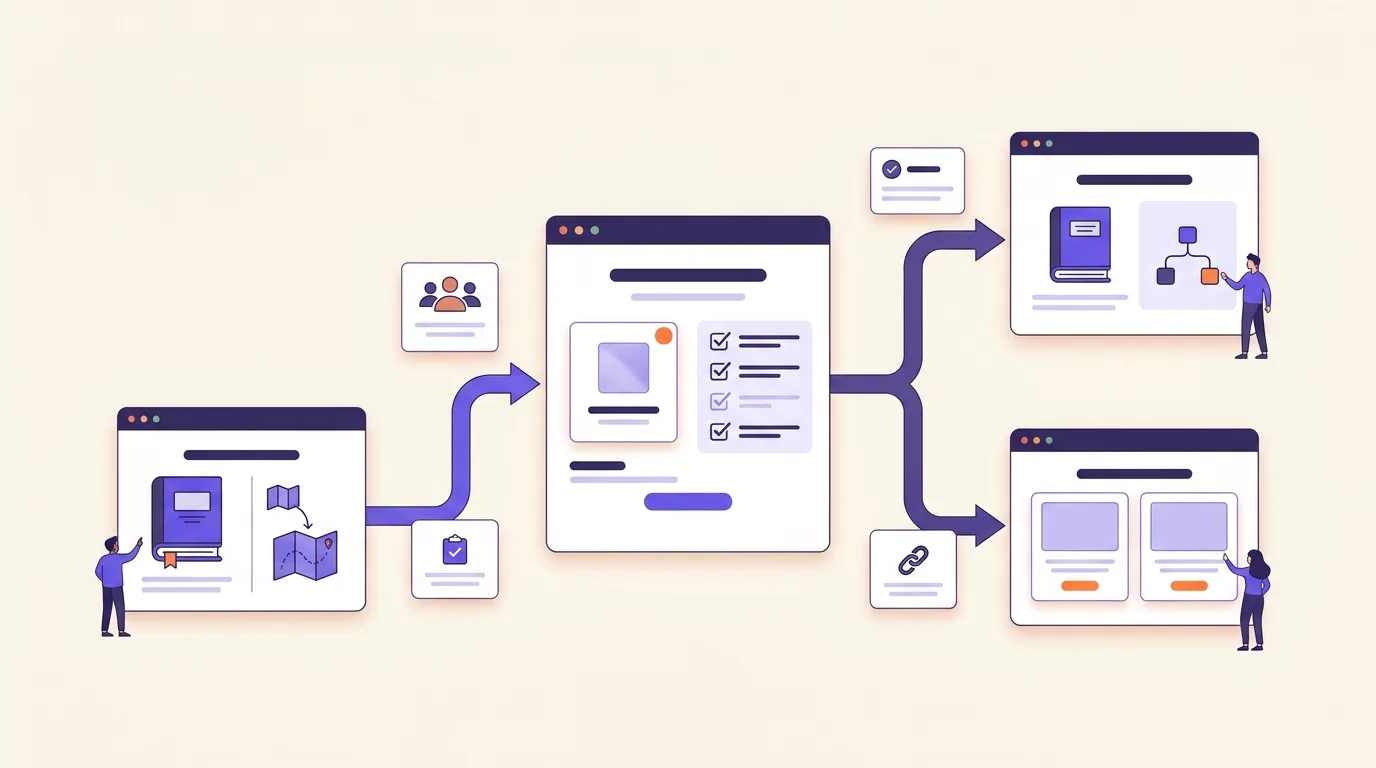
- Page task: Say what the visitor should be able to do after reading.
- Audience: Identify your reader and what they already know.
- Main cluster: Include the assigned searches and the intent they share.
- Supporting questions: Set out what the page must answer for the reader to complete that task.
- Scope exclusions: Name the topics that belong elsewhere and their preferred destinations.
- Conversion goal: Choose a next step that fits the reader’s task.
Give each destination a distinct job
If you’re building a content network around keyword planning, draw clear boundaries between destinations:
- Educational destination: Explain how to build and use a keyword map. Detailed product evaluation belongs elsewhere, so link to the comparison page when readers need software.
- Comparison destination: Help readers assess keyword mapping software against their workflow. Don’t repeat the full mapping tutorial. Link to it for background, and send readers to product pages for specifics.
- Product destination: Let readers evaluate Deep SEO’s AI Keyword Planning. Focus on evaluating the offering rather than repeating the educational content.
Make internal links part of the brief
Name the related supporting pages that should link to the preferred destination, then specify where each link fits. Include suggested anchor text too: “build a keyword map” is natural and descriptive; “click here” isn’t.
According to Google Search Central, Google recommends that every important page receive an internal link from at least 1 other page on the same site. Put those source pages in the brief so you can update existing content alongside the destination.
What should keyword mapping software help you evaluate?
Keyword mapping software should let you import URLs and queries and review how they’re grouped. You should be able to assign destinations and spot conflicts, then export briefs someone can act on. Look for clear reasoning behind each assignment, with room to correct it before handing an approved decision to the person doing the work.

Check how much control you retain
Have vendors demonstrate the tool using a sample from your content inventory. Use that demonstration to check:
- Editable intent labels: Can you correct a search intent label when a query has more than one plausible meaning?
- Grouping evidence: Can you see why queries belong together, or are you expected to accept an unexplained cluster?
- Human overrides: Can you split clusters or merge compatible groups? Check whether you can change proposed destination URLs, too.
- Ownership fields: Can you record who approves an assignment and who updates the page?
- Export options: Can your team use the exported target URLs and decisions? Writing instructions need to come through as well.
Separate suggestions from decisions
A spreadsheet gives you flexibility in how you document assignments. Software-assisted grouping and conflict review may cut down on manual sorting, but that depends on the suggestions and your workflow. Compare how easily you can correct assignments, not just create them.
Automation should suggest candidate URLs for an editor to review, not make the final call. The editor still needs to check page purpose and resolve ambiguous intent. A keyword cannibalization tool’s flag is a reason to investigate—not an instruction to merge or redirect pages.
Evaluate Deep SEO’s AI Keyword Planning against the same planning tasks. Verify any product-specific capability through current product information or a demonstration before relying on it. Ask to see your required workflow, from imported inputs to an editable handoff.
Validate and maintain the keyword-to-URL map
After publication, compare your intended targets with the pages receiving impressions and clicks for mapped queries in Google Search Console. If another URL appears, check whether it serves the search task better before you change the assignment.

Visibility isn’t enough: does the page answer the query and offer a relevant next step? Check intent fit and conversion usefulness. Don’t credit or blame mapping alone if the content or site structure has changed. Changes in Google Search results can affect the comparison too.
Separate planning decisions from technical checks
Your preferred-target field records an editorial decision, not a technical verdict. Keep indexability checks separate, along with checks for redirects and canonical signals, so you can see whether the implementation supports your choice.
For duplicate or very similar pages, redirects and canonical annotations strongly signal your preferred URL. Inclusion in XML sitemaps is a weak signal, according to Google Search Central.
Update the map when you publish or substantially reposition content, and when you consolidate or redirect it. Save the previous assignment with the reason for changing it, so future edits don’t undo a deliberate decision.
Check the map before handing off work
- Each cluster has a preferred destination.
- Each destination has a defined purpose.
- Conflicts have documented decisions explaining why pages stay separate or are combined.
- New pages have planned internal links from relevant existing pages. Google recommends linking every important page from another page on your site, explains Google Search Central.
When evaluating tools, consider whether Deep SEO’s AI Keyword Planning fits your process. The broader keyword-planning workflow places URL assignments alongside research and ongoing review.
Read more
Frequently asked questions
Should different language versions share the same keyword map?
Use a shared structure, but keep keyword assignments separate for each language and target market. Don’t simply translate the original keywords. Check local wording and search intent before choosing the destination page. Link equivalent pages within your map so you can manage them together, while allowing different page choices where local needs differ.
How should a keyword map handle seasonal search demand?
Mark seasonal keyword groups in your map and record when their pages need updating. Keep recurring demand assigned to a stable page when the topic and intent stay the same. For example, refresh an existing Christmas delivery page rather than creating a competing version. Separate seasonal terms only when they need genuinely different content.
How do you preserve keyword assignments during a website migration?
Save your existing keyword map, then match each assigned page to its intended destination before launch. Preserve the search intent and relevant content, not just the URL relationship. Use permanent redirects where pages move, and update internal links. After launch, check that mapped destinations load correctly and still answer the queries assigned to them.
When should location-specific queries map to separate local pages?
Create separate local pages when the query reflects a distinct local need and you can provide useful location-specific content. A branch page might include its services and opening hours, with directions to help people find it. If you only swap place names while keeping everything else identical, reconsider the split. A broader service-area page may be a better destination.
Where should keywords point when a product is permanently discontinued?
Choose the destination based on what the searcher still needs. Keep the original page useful for model-specific queries if people need manuals or compatibility details. Consider a redirect when a genuinely equivalent replacement meets the same intent. Don’t send every discontinued product to the homepage. Broader shopping queries may fit a relevant category page instead.
Key takeaways
- Give each page a clear job. Your keyword to URL mapping decisions should set boundaries for new content, so it doesn’t overlap with another page’s purpose.
- Check the conflict before changing URLs. Don’t redirect a competing page just because it competes. Look at whether it serves a different search need first.
- Make the assignments useful to writers and editors. They need a clear destination and scope. Your internal links should point to the page you’ve chosen for that topic.
- Keep the map open to revision. When content changes or search performance points to a mismatch, revisit the assignment rather than sticking with an old decision.
Start with a priority keyword cluster and check its assigned page. Record the next action and its owner in your map.
See what this means for your website
Start with the free check. RamradOS explains the results and, if it fits, our AI Keyword Planning goes deeper.
Check your website free — in one minute
Our AI platform reviews your site and shows what to fix first. Our SEO team can implement it for you.