
Quick answer: Multi-location SEO is the coordinated management of search visibility for a business operating in multiple places. It connects accurate location records, useful branch pages, and eligible business profiles while assigning central and local responsibilities. The goal is to help customers find the right branch and measure results without hiding local problems in brand-wide totals.
Key facts
- Google recommends describing each location separately with the most specific applicable LocalBusiness subtype; name and physical address are required for local-business rich-result eligibility. Local business (LocalBusiness) structured data
- The recommended LocalBusiness url property must point to a working, fully qualified URL for that specific location. Local business (LocalBusiness) structured data
- Google lists city- or region-targeted pages that funnel visitors to a single page as an example of doorway abuse. Spam policies for Google web search
TL;DR: Build a maintained location inventory that connects each real branch to its page, eligible profile, responsible owner, and location-level results.
- Multi-location SEO
- A coordinated approach to managing organic and local search visibility across a business’s locations.
- Location page
- A dedicated website page that helps customers evaluate, contact, or visit a particular business location.
- Location inventory
- A maintained internal record connecting each branch’s identity, operational details, web assets, and responsible owners.
- Location cohort
- A group of branches with comparable characteristics used to make performance comparisons more meaningful.
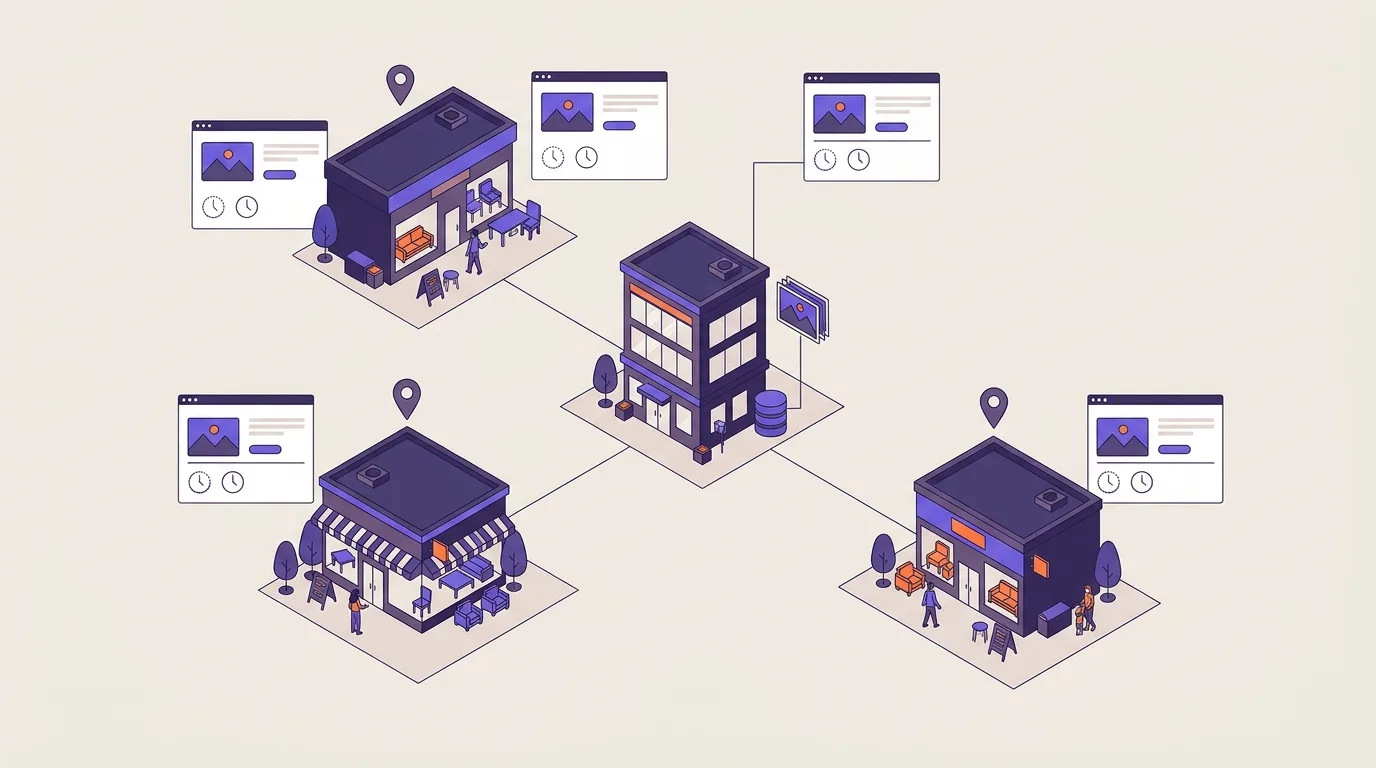
What is multi-location SEO?
Multi-location SEO is how you manage local search across a business with several branches. Each branch needs clear details and a useful page on your site, while your team needs a shared way to keep those details up to date.
Say you run a furniture shop with branches in nearby towns. A customer looking for your north-side shop should land on that branch’s page, see its current hours, and know how to get there. They shouldn’t have to search your site again to find the right store.
The same approach works for a chain or a franchise network. Franchise owners may control their own branch details, but they still need shared records with the central team. Serving a city doesn’t make it a physical branch or establish eligibility for a separate business profile.
Keep a master list of real locations and link each one to its branch page. Give someone clear responsibility for each record so errors don’t sit between teams.
Local SEO fundamentals explain how businesses help nearby customers find relevant locations in Google Search and Google Maps.
Why does managing locations together matter?
Shared records make it easier to keep branch details correct as your business grows. Without them, an old address can stay live on one page after you’ve changed it elsewhere. If no one owns the update, the error may go unnoticed until a customer reports it.
A dedicated page should take customers straight to the branch they need. Sending them to a generic page adds work, especially when several shops share the same city name.
Set a shared process for updates, but let local staff check the facts. They’re the ones who can confirm whether the entrance has moved or holiday hours have changed. Fix errors that could waste a customer’s trip before adding more pages.
A strong brand doesn’t mean equal demand or search visibility at every branch. Look at local conditions before setting the same targets for all locations.
An SEO strategy connects your business goals to the work you choose and how you measure it.
Connect the location inventory to a usable page network
Your master location list should connect each branch to its page and, where eligible, its business profile. Use that list to keep your store locator in sync with the rest of your site.
Build the master location list
Keep these fields for each branch:
- A stable internal location ID.
- Its current status, such as open or temporarily closed.
- The main branch page URL.
- A Google Business Profile reference, where eligible.
- The person responsible for the record.
Keep the ID unchanged when a branch name or URL changes. That lets you follow the same branch over time.
Make each branch easy to reach
Use a locations hub that links directly to branch pages. Add regional pages only when they make a large network easier to browse.
A path such as example.com/locations/city-branch/ can work, but it isn’t a ranking requirement. If several branches share a city, use names that help customers tell them apart.
For help with those links and page levels, see site architecture and navigation. Use local branch-page optimization to make each page useful.
Describe each location in structured data
Google recommends describing each location separately in LocalBusiness structured data. Choose the most specific business subtype that fits. A name and physical address are required for local-business rich-result eligibility, according to Google’s LocalBusiness documentation.
The recommended url property must use a working, fully qualified URL for that specific location, as stated in the same Google documentation. For setup help, follow the structured data implementation guide.
Assign central standards and local responsibilities
Decide who can change branch details and who approves them. A shared record won’t stay accurate if everyone assumes someone else maintains it.
| Owner | Responsibility |
|---|---|
| Central team | Own the master location list and publishing system. |
| Local operators | Check branch facts and report changes. |
| Named approvers | Resolve conflicting details and approve updates. |
Maintain an owned change process
Use the same process for routine edits and urgent fixes:
- Record the change in the master list. Include evidence and name the person responsible.
- Send it to the approver. Resolve conflicting details before publishing.
- Publish the approved facts. Check the branch page and store locator, plus any eligible profiles affected by the change.
- Log any errors that remain and assign someone to check them again.
Use name, address, and phone (NAP) normalization to keep shared fields consistent.
Follow Google Business Profile guidance when setting up or managing profiles. Create them only for eligible locations.
The content workflow covers approval and publishing steps in more detail.
Keep access under business control
Use named accounts rather than shared passwords. Give people access based on their role, and document the handover before a staff member or franchise operator leaves. Your business should retain control of its pages and profiles.
Coordinate openings, relocations, and closures
A branch move affects more than its address field. Customers may still find the old page or follow an outdated listing, so plan those updates together.
Use this checklist as practical guidance, not a Google requirement.
- Record each branch’s status. Keep planned and open branches distinct from closed ones. Mark whether a closure is temporary or permanent, and record moves so each change triggers the right checks.
- Check before opening. Confirm that the branch is ready for customers before adding it to public navigation. Check its address and hours, then test the contact details and links customers will use.
- Plan moves together. Keep the branch’s internal ID where appropriate. Schedule page and record updates so old and new details don’t remain live at the same time.
- Assign closure decisions. Name someone to approve the public closure notice and decide whether to suggest another branch. That person should also oversee changes to profiles and external listings.
URL retirement or redirection depends on whether a genuinely relevant replacement exists.
Google Business Profile status procedures cover how to reflect operating changes on Google Search and Google Maps.
Local citation maintenance covers updates to external listings when branch details change.
Avoid scaling pages faster than real location value
A shared template can save time. Changing only the city name doesn’t give customers a useful reason to visit another page.
Give each page a clear purpose
Create a branch page when it helps customers choose or contact that real location. Show what they need for a visit, such as where to enter or which services that branch offers.
Check where the page sends people. If its contact link leads to an unrelated branch, fix that mismatch before you add more pages.
Separate shared content from doorway abuse
A shared template or repeated brand text doesn’t by itself make a page spam. The page’s purpose matters. Google lists city- or region-targeted pages that funnel visitors to a single page as an example of doorway abuse in its spam policies.
For broader context on search changes, see Google algorithm updates.
Use keyword mapping when several location pages target the same searches.
Check Google Business Profile eligibility before creating a profile for any city-targeted page.
How do you check performance across locations?
Use each branch’s internal ID to connect its records with its results. Keep its page URL and operating status alongside open issues and business outcomes. Include its Google Business Profile reference where eligible.
Check whether the records are complete separately from whether the branch is doing well. Accurate hours matter, but they don’t tell you whether people are finding the shop or making useful inquiries.
Separate maintenance from results
Repeat checks for correct details and working branch pages. Then compare branches that face similar conditions. A new shop shouldn’t be judged as though it has the same local demand as an established one.
Look at individual branches as well as totals. Growth across the network can hide a branch with falling inquiries. Even a well-maintained page can face weak demand or strong competition.
Prioritize and recheck
Start with errors that could mislead customers, such as a wrong address. Use the number of affected branches and the business impact to sort the remaining work. Assign an owner to each issue, then check the affected records again after the fix.
Local SEO reporting covers metric definitions and tracking setup.
A local SEO audit provides detailed checks for problems you haven’t resolved.
Frequently asked questions
Should each business location have a separate website or use the main domain?
A shared website with a page for each branch is a sensible default when locations share a brand and site management. Separate sites may suit distinct brands or independent operations. For LocalBusiness structured data, Google recommends a working, fully qualified URL for the specific location in its LocalBusiness documentation.
Can independently owned franchisees share a central multi-location SEO program?
Yes, if the central team and franchisees agree on shared standards and local responsibilities before work begins. Set rules for account access and approvals. The central team can manage page templates, while franchisees keep branch facts current. Agree on a handover process for any change of ownership.
Do small businesses with several branches need enterprise local SEO software?
No. Having several branches doesn’t by itself call for enterprise software. Start with a clear way to update business details and check branch pages. Consider paid tools when manual work leads to missed updates or gaps in reporting. Choose based on the work you need to manage, not branch count alone.
How long does it take for a new branch to gain local search visibility?
There’s no fixed timeline. Search engines need to discover and index the page, while profile status and local competition can affect progress. Publish an accurate branch page and keep its details current. Track search appearances and customer actions, but don’t treat the opening date as a deadline for rankings.